

The WordPress 7.2 update is scheduled for release on December 9, 2026, and Beta 1 opens for testing on October 20, 2026 — just about a week from now. If you run a WordPress site, that short window is exactly when you want to start checking your theme, plugins, and workflows, not after the update lands on your live server. This guide walks through the WordPress 7.2 update in eight practical steps, from marking the release dates to building a rollout checklist, so nothing catches you off guard.
Every major WordPress release changes something under the hood, and 7.2 is no exception: a new default theme, an editing mode for reviewers, and security changes around application passwords are all part of the plan. None of this requires a developer background to prepare for. You just need a method, a staging site, and about an hour spread across the next two months. Here is exactly how to get ready.
What’s Changing in the WordPress 7.2 Update
The WordPress 7.2 update was confirmed by the Core team in an official call for volunteers published on Make WordPress, which laid out the release squad and the full beta-to-release schedule. The team is still finalizing which proposed features make the final cut, so treat anything below as “in progress” rather than locked in.
Three changes are worth watching closely. First, a new default theme called Ipsum is being built for 7.2 — a minimal blogging theme named after lorem ipsum placeholder text, confirmed in an official Make WordPress post introducing the theme. Second, “Suggestion Mode” is being developed for the block-level Notes feature, letting reviewers edit directly in a post while the author approves or rejects each change. Third, a set of changes grouped under “safer credentials” is being discussed, including an open core ticket that would email site owners whenever a new application password is created.
None of these are guaranteed to ship exactly as described. The Core team has already pulled real-time collaboration out of the 7.2 plan for a redesign, and features that miss the Beta 1 feature freeze on October 20 typically get pushed to WordPress 7.3. That is normal for WordPress development, and it is exactly why testing the beta yourself, rather than only reading about it, matters.
Step 1: Mark the WordPress 7.2 Release Dates on Your Calendar
Before you touch your site, write down the schedule. According to the official Core team announcement, the WordPress 7.2 update follows this timeline:
- Beta 1 (feature freeze): October 20–22, 2026
- Beta 2: October 27–29, 2026
- Beta 3: November 3–5, 2026
- Beta 4: November 10–12, 2026
- Release Candidate 1: November 17–19, 2026
- Release Candidate 2: November 24–26, 2026
- Release Candidate 3: December 1–3, 2026
- Final release: December 8–10, 2026, with December 9 as the proposed date
All of these dates are subject to change, as the Core team notes on the announcement itself. That said, feature freeze at Beta 1 is the date that matters most for testing, because after that point the feature set for WordPress 7.2 is largely locked in. If you want your feedback on a specific feature to count, Beta 1 week is when to give it.
Step 2: Back Up Your Site Before You Test Anything
This sounds obvious, but it is the step people skip when a release still feels months away. Before you install any beta software or testing plugin, confirm you have a current, restorable backup of both your database and your files.
If your host includes automatic backups, check the actual restore point date rather than assuming it is recent. If it does not, run a manual backup with a plugin such as UpdraftPlus or Duplicator, and download a copy off-site rather than leaving it only on your hosting account. A five-minute backup now is far cheaper than rebuilding a site after a failed beta test later.
This step matters even if you plan to test the WordPress 7.2 update only on a staging copy, because the next step depends on having a clean, current backup to clone from.
Step 3: Set Up a Staging Site for the WordPress 7.2 Beta
Never install beta software on your live, production WordPress site. A staging site is a private copy of your site, usually on a subdomain or separate folder, where you can break things safely without visitors noticing.
Most managed WordPress hosts (WP Engine, Kinsta, SiteGround, Pressable) include one-click staging in their dashboard. If yours does not, a plugin like WP Staging or Duplicator can clone your site to a test environment in a few minutes. Either path gives you an exact copy of your current theme, plugins, and content to test against.
Once your staging site is live, treat it as your WordPress 7.2 testing ground for the next two months. You will come back to it in the next three steps.
Step 4: Install WordPress Beta Tester and Try Beta 1
On your staging site only, install the official WordPress Beta Tester plugin from the WordPress.org plugin directory. It lets you opt into “bleeding edge nightlies” or point-release testing so your staging install pulls down Beta 1 as soon as it ships on October 20.
After updating, walk through your normal editing workflow: write a post, add images, publish, and check your homepage, a product or service page, and any custom templates. Pay close attention to:
- Whether your editor toolbar and block settings still load and behave normally
- Whether your theme’s spacing, fonts, and colors render the same as before
- Whether any custom blocks or page-builder elements (Elementor, for example) still function
- Whether your site’s admin dashboard loads without console errors or blank screens
If something breaks, you have found it weeks before your live site would. Report real bugs on the WordPress Trac or in the relevant Make WordPress Slack channel so the Core team can fix it before the final release.
Step 5: Check Your Theme Against the New Ipsum Default Theme
You are not required to switch to Ipsum, WordPress’s proposed new default theme for 7.2. Existing themes keep working after the update, and your site will not silently change its design. But the theme is worth understanding, because it signals where WordPress’s block editor and Global Styles system are heading.
Ipsum relies almost entirely on Global Styles rather than custom CSS, including new form element styling for buttons, text fields, and dropdowns. If your current theme uses a lot of custom CSS overrides for forms or block styling, it is worth testing those specific areas on your staging site during Beta 1, since the underlying form-styling APIs are changing in this release.
If you maintain a custom theme or a child theme with heavy style overrides, this is also a reasonable moment to review our earlier look at WordPress 7.1’s new features around responsive styling, since 7.2 builds directly on that foundation rather than replacing it.
Step 6: Prepare for the Application Password and Credential Changes
One of the more security-relevant pieces of the WordPress 7.2 update is a proposed change to application passwords — the tokens that let external apps and services connect to your site through the REST API without using your main login password.
An open Core ticket (with an accepted code patch attached) would have WordPress email you automatically whenever a new application password is created on your account, the same way it already emails you when your main password or email address changes. That closes a real gap: right now, an attacker who gains admin access could quietly add an application password and keep API access even after you reset your login password.
If you already rely on application passwords for integrations, mobile apps, or automation, this is a good time to audit the ones you have: check each one’s name and last-used date in Users → Profile → Application Passwords, and revoke anything you do not recognize or no longer use, before the 7.2 update potentially adds new notifications and interface changes around the same feature.
A separate proposal, a developer-facing Secrets API for storing API keys in encrypted form, is also planned as groundwork in 7.2, with a management screen expected in 7.3. If you build or manage custom plugins that store API credentials, keep an eye on this one even though it will not change anything in your dashboard yet.
Step 7: Test Suggestion Mode and Notes With Your Team
If you publish with an editorial team — writers, editors, or outside reviewers — the proposed Suggestion Mode is worth testing specifically, since it changes how feedback happens inside the block editor.
Today, block-level Notes let someone leave a comment attached to a specific paragraph or image. Suggestion Mode goes further: a reviewer types directly into the post, and instead of overwriting your content, their edit appears as a highlighted suggestion that you accept or reject with one click. That covers both text edits (typing, deleting, formatting, links) and structural changes like adding or moving blocks.
On your staging site, invite an editor or colleague to try leaving a few suggestions on a draft post once Beta 1 is installed. If your current review workflow leans on Google Docs or emailed feedback before content gets pasted into WordPress, Suggestion Mode could meaningfully shorten that process once it ships, assuming it clears the feature freeze intact.
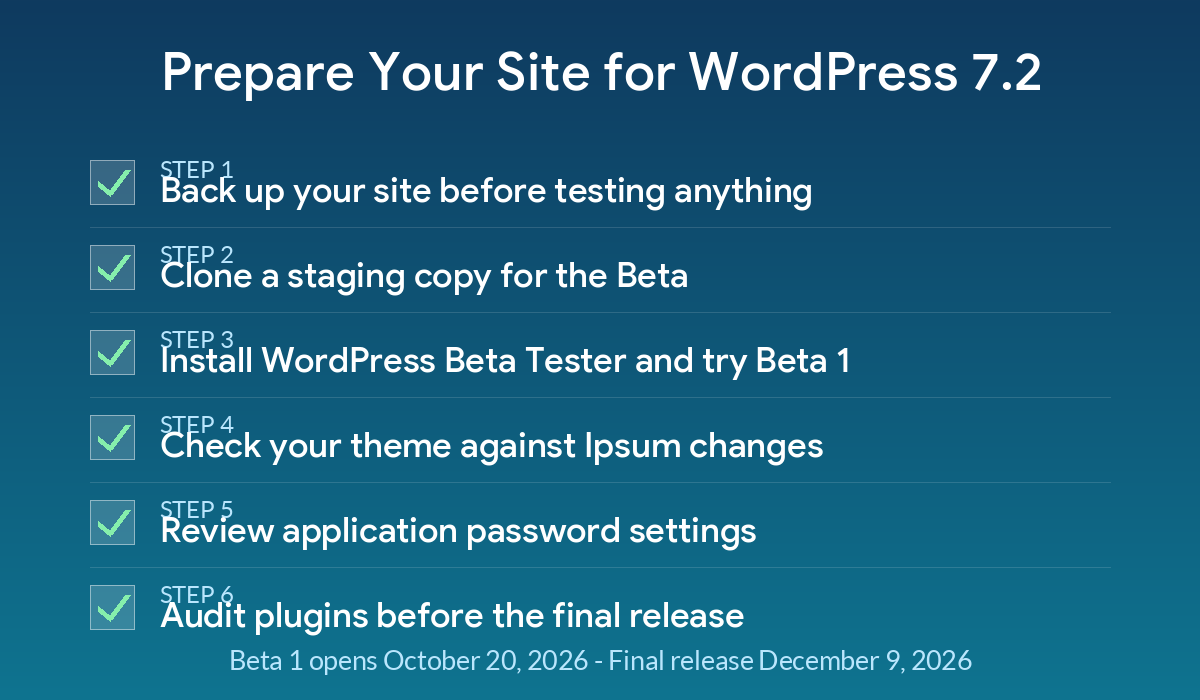
A simple staging-to-production checklist keeps the WordPress 7.2 update from catching your site off guard.
Step 8: Audit Plugins and Performance Before the Final Release
With roughly eight weeks between Beta 1 and the final WordPress 7.2 release, you have time to work through your plugin list methodically rather than scrambling in December.
- Check plugin update logs. Visit each plugin’s changelog on WordPress.org or its vendor site and look for recent “tested up to” updates that mention 7.2 compatibility.
- Remove what you do not use. Fewer active plugins means fewer compatibility risks during any core update, not just this one.
- Re-test page speed on staging. Run your staging site through PageSpeed Insights or GTmetrix after applying Beta 1, and compare the results to your current production numbers. If you need a refresher on fixing the metrics that typically move, our WordPress 7.1.3 update guide covers several fixes that remain relevant going into 7.2.
- Confirm your security plugins still function. Firewall, login-protection, and malware-scanning plugins sometimes need their own updates to stay compatible with a new core release.
- Watch for regressions like the 7.1 line saw. The 7.1 series had its own rocky patches worth remembering; see our breakdown of the WordPress 7.1 update problems and the CVE that followed, and our notes on the quick WordPress 7.1.2 security fix, as a reminder that even point releases can need fast follow-up patches.
Once Release Candidate 1 arrives in mid-November, repeat this audit one more time before you let the WordPress 7.2 update apply automatically on your live site, or plan to update manually within the first few days of December 9.
The WordPress 7.2 update is still weeks away from Beta 1 and almost two months from its final release, which gives you a realistic window to prepare instead of reacting after the fact. Start with a backup and a staging clone this week, install WordPress Beta Tester once Beta 1 ships on October 20, and work through your theme, credentials, and plugin audit over the following beta cycles. Site owners who test early rarely have a rough update day in December.
Frequently Asked Questions
When does the WordPress 7.2 update officially release?
The Core team’s published schedule lists a release window of December 8–10, 2026, with December 9 named as the proposed final date. All dates remain subject to change as development progresses.
Will the WordPress 7.2 update change my site’s design automatically?
No. The new Ipsum default theme only applies to new WordPress installs or sites that choose to activate it. Existing themes and site designs are not affected by the update itself.
Is it safe to test the WordPress 7.2 beta on my live site?
No. Beta software can introduce bugs, and testing on production risks downtime for real visitors. Always test on a staging copy, and keep a current backup regardless.
Do I need to do anything about application passwords before WordPress 7.2 arrives?
Not urgently, but it is a good time to review which application passwords exist on your site and remove any you do not recognize or no longer use, since 7.2 is expected to add more visibility around this feature.
What happens if a feature misses the WordPress 7.2 Beta 1 feature freeze?
Historically, features that are not ready by feature freeze get pushed to the next release. The Core team has already signaled that real-time collaboration will not make 7.2 and is being redesigned for a future version.


Leave a response