

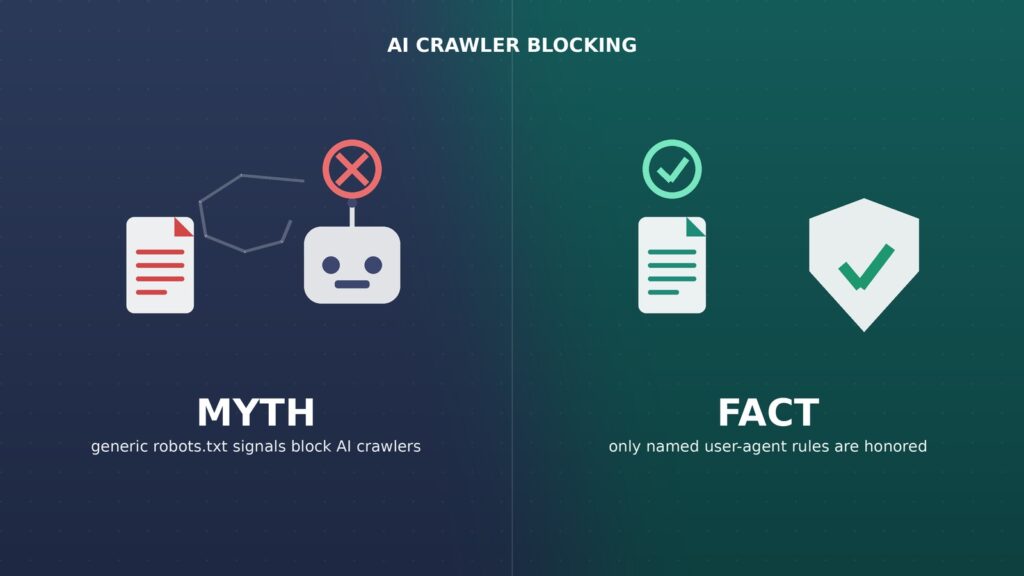
No, adding Cloudflare’s Content Signals tags or an llms.txt file to your robots.txt does not stop AI companies from crawling, training on, or reusing your content. That is the blunt answer Google gave in 2026, and so far it has not changed. A lot of AI crawler blocking advice circulating right now rests on exactly this misunderstanding.
If you manage a WordPress site and added these directives after reading a “block AI crawlers” tutorial, you likely accomplished nothing except adding extra lines to a file Google’s own crawler already mostly ignores. That matters because Cloudflare pushed a real policy change on September 15, 2026, that quietly reshaped how roughly one in five websites handle AI crawlers by default, and a lot of the advice around it confuses what actually works with what doesn’t. This article separates the two, using Google’s own statements and documentation, so you can stop editing files that do nothing and start using the ones that do.
The AI Crawler Blocking Myth Everyone Suddenly Believes
Since early 2026, a wave of blog posts, plugins, and “AI-proof your site” checklists have told website owners to add a few lines to robots.txt. Specifically, Content-Signal directives such as search=yes, ai-train=no, and ai-input=no, popularized by Cloudflare, or a separate llms.txt file listing which AI models may use a site’s content.
The pitch is appealing. A few minutes of editing, no developer required, and supposedly your content is protected from being scraped into the next large language model. Site owners who are anxious about AI companies training on their work understandably want a simple, low-effort opt-out.
The problem is that this “simple opt-out” assumes every crawler reads and obeys these specific lines. That assumption is the myth, and it’s the exact part Google addressed directly in public.
The Fact: Why This Kind of AI Crawler Blocking Doesn’t Work
What Google Actually Said
In July 2026, Google’s John Mueller responded directly to a question on Reddit’s r/TechSEO forum about whether Content-Signal headers and llms.txt help control AI crawling. His answer, reported by Search Engine Roundtable on July 6, 2026, was unambiguous: the directive has “no effects whatsoever” on any crawler or LLM he is aware of.
Mueller added that the Content-Signals directive “was made up by a CDN” (a reference to Cloudflare) and that including it “just adds bloat and future maintenance to your robots.txt file.” On llms.txt specifically, he stated plainly that “Google doesn’t use llms.txt or llms-author.txt,” and that he knows of no crawler or LLM outside of SEO tooling that reads it either.
This is an informal public statement from a named Google spokesperson, not a line in official documentation, and that distinction is worth keeping in mind. But Mueller has made the same point consistently over time, and nothing in Google’s published documentation contradicts him.
What Google’s Official Robots.txt Documentation Confirms
Google’s Search Central documentation on robots.txt spells out exactly which fields its crawlers parse: user-agent, allow, disallow, and sitemap. The documentation states plainly that other fields, such as crawl-delay, “aren’t supported” and are ignored by the parser entirely.
Content-signal is not a recognized field in that list. By Google’s own documented parsing rules, any line that isn’t user-agent, allow, disallow, or sitemap is simply skipped, which lines up exactly with what Mueller described happening in practice. In other words, this isn’t just a casual opinion; it matches the published mechanics of how Googlebot reads the file.
Where the AI Crawler Blocking Confusion Comes From
The confusion traces back to a real, significant change. Cloudflare, which sits in front of roughly one in five websites, set September 15, 2026 as the date new default settings took effect for new domains on its network. Under those defaults, AI training and autonomous “agent” crawlers are blocked by default on pages that run ads, while crawlers that just fetch pages for search results stay allowed.
That part is real enforcement. Cloudflare’s bot-management system inspects and blocks traffic at the network level, before a crawler’s request ever reaches the origin server. It has nothing to do with whether a crawler “reads” and voluntarily respects a robots.txt annotation.
The Content-Signals text added to robots.txt is a separate, voluntary labeling layer that Cloudflare introduced to describe a site’s stated preference. Mueller’s comment is about that voluntary label, not about Cloudflare’s actual network-level blocking. Conflating the two is where most of the “none of this works” confusion, and the opposite “I’m already fully protected” complacency, both come from.
The Kernel of Truth: AI Crawler Blocking That Actually Works
Named User-Agent Disallow Rules Are the Real Mechanism
Robots.txt does control well-behaved crawlers, but only through the mechanism it was actually built for: a disallow rule under a specific, named user-agent. Google’s own AI training crawler, Google-Extended, is one documented example. Disallowing it opts your content out of being used to improve Gemini and future Google AI features, without affecting standard Googlebot indexing for Search.
Other AI companies publish their own crawler user-agent tokens the same way, including OpenAI’s GPTBot, Anthropic’s ClaudeBot, and Common Crawl’s CCBot. A disallow rule targeting the exact, documented token for each crawler is generally honored, because that crawler’s code specifically checks for its own name. That is the same mechanism Googlebot has respected for decades, just applied to newer, AI-specific user agents.
Network-Level Blocking Where You Actually Need Enforcement
For crawlers that ignore robots.txt entirely, a real and common problem among less reputable scrapers, a text file was never going to stop them. Robots.txt is a voluntary, honor-system protocol with no built-in technical enforcement behind it.
If you need actual enforcement rather than a polite request, that requires a firewall rule, a bot-management product, or server-level blocking. That’s precisely the layer where Cloudflare’s September 15 default change operates for the crawlers it specifically targets, which is also why that change produced real, measurable effects while the Content-Signals text alone did not.
Why Your AI Crawler Blocking Choices Also Affect SEO Visibility
AI crawler blocking decisions don’t happen in isolation from your regular SEO results anymore. Google’s AI Overviews and other AI-generated search features pull from the same crawled content that powers traditional rankings, and overly broad AI crawler blocking aimed at third-party AI companies can accidentally catch tools your own marketing team relies on, such as content-auditing or AI-visibility monitoring crawlers that share infrastructure with the services you meant to exclude.
This is also part of why Google launched its AI Contribution Pilot, giving publishers a more formal channel for how their content feeds AI features, instead of leaving site owners to rely on a disputed robots.txt signal. If your real interest in AI crawler blocking is shaping how your content shows up inside AI-generated answers rather than blocking training outright, a program like the one described in our coverage of Google’s AI Contribution Pilot is a more direct lever than an unsupported robots.txt tag.
Before changing your AI crawler blocking setup, decide what you’re actually trying to achieve. Opting out of model training calls for named user-agent rules like Google-Extended; reducing scraper load calls for network-level bot management; and shaping your presence inside AI Overviews, which now appear in a majority of branded searches, calls for publisher programs and clean structured data, not a Content-Signal line.
Practical Recommendations for AI Crawler Blocking That Does Something
Audit your current robots.txt and note any Content-Signal or llms.txt references you added expecting them to function as a blocking mechanism. They won’t hurt you, but they also won’t help, and Mueller’s point about unnecessary file maintenance is fair.
Add specific disallow rules for the named crawlers you actually want to exclude, using their documented user-agent strings, such as Google-Extended, GPTBot, and ClaudeBot, rather than a generic signal line that nothing reads.
If your real goal is stopping aggressive, non-compliant scraping rather than opting documented crawlers out of training data, use your CDN or hosting provider’s bot-management or firewall features. That is the layer with actual enforcement power behind it.
Keep monitoring which crawlers are actually hitting your site through server logs or your hosting dashboard, and check Google Search Console’s crawl stats periodically. That’s where you’ll see whether Googlebot’s behavior genuinely changed after an edit, rather than just whether you made one.
A short checklist for getting AI crawler blocking right:
- Stop treating Content-Signal or llms.txt lines as AI crawler blocking on their own — they’re declarative labels, not enforcement.
- Add named disallow rules for Google-Extended, GPTBot, and ClaudeBot if opting out of AI training is the actual goal.
- Turn on CDN-level bot management if the goal is stopping non-compliant scrapers rather than stating intent.
- Re-check Search Console crawl stats after any change to confirm your AI crawler blocking rules changed real crawler behavior.
- Revisit the setup quarterly, since which crawlers respect which signals is still evolving.
Limitations: What Could Still Change
Mueller’s statement reflects Google’s current practice as communicated informally in mid-2026. Google could adopt new signals later, and other AI companies have not all made equivalent public statements specifically about Content-Signals. Treat “Google ignores it” as confirmed, and “every AI crawler ignores it” as highly likely but not independently verified for every single player in the space.
It’s also worth separating a myth about mechanism from a myth about outcome. Even where a documented disallow rule is technically honored, honoring it is still voluntary. A disreputable crawler can simply lie about its user-agent string or ignore robots.txt altogether, which is exactly why Cloudflare built network-level enforcement in the first place rather than relying on a text file alone.
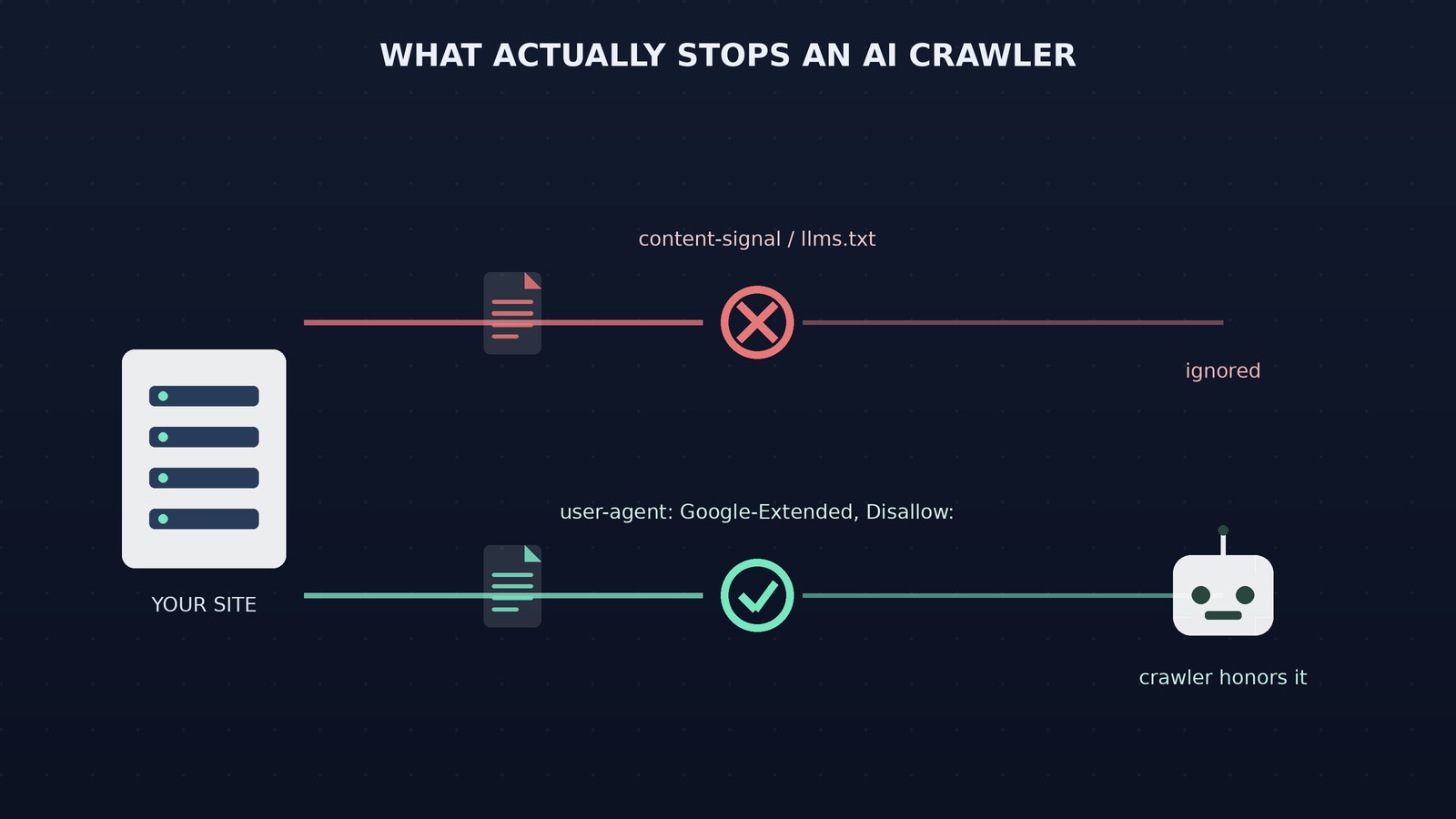
A simple visual breakdown of which AI crawler blocking signals Google actually honors versus which ones are purely cosmetic.
Frequently Asked Questions
Does blocking AI crawlers in robots.txt also block my site from Google Search?
No. Google-Extended, the documented opt-out for Gemini and AI training, is a separate user-agent from standard Googlebot, which handles Search crawling and indexing. Disallowing Google-Extended does not affect your pages’ ability to appear in normal Google Search results, and it is unrelated to how quickly new pages get crawled and indexed.
Should I delete Content-Signal lines and llms.txt from my site?
You don’t have to remove them immediately; they’re inert rather than harmful. But if you were relying on them as your only AI crawler blocking measure, add real user-agent disallow rules or CDN-level bot blocking, because the signal lines alone are doing nothing on their own.
Did Cloudflare’s September 15, 2026 change actually block AI crawlers?
For new domains on Cloudflare, yes, by default. Cloudflare’s bot-management layer began blocking AI training and autonomous agent crawlers on ad-supported pages while leaving search crawling untouched. That enforcement happens at the network level, separate from the Content-Signals text in robots.txt.
Is John Mueller’s Reddit comment an official Google policy statement?
It’s an informal public statement from a Google spokesperson, not a page in Google’s official documentation. It carries real weight because Mueller speaks for Google’s Search Relations team and his comments have not been contradicted, but it’s reasonable to treat it as strong guidance rather than a permanent guarantee.
Which AI crawlers actually respect robots.txt disallow rules?
Google’s Google-Extended, OpenAI’s GPTBot, and Anthropic’s ClaudeBot are documented examples that check for their own named user-agent in robots.txt and are generally reported to comply. Less reputable scrapers are not guaranteed to follow any robots.txt rule, named or otherwise, which is why enforcement at the network level still matters.
What to Do Next
The AI crawler blocking myth survives because it offers a comforting illusion of control: edit one file, solve the problem. The fact, confirmed by Google and consistent with its own documentation, is that generic signal lines like Content-Signals and llms.txt do nothing for Google and likely very little for most other major crawlers either.
Your one next action: open your site’s robots.txt today, and replace any Content-Signal or llms. txt-only strategy with explicit disallow rules for the named AI user-agents you actually want to exclude, starting with Google-Extended if opting out of Gemini training is your goal. If you need real protection against non-compliant scrapers, pair that with your CDN or host’s bot-management settings, not another line of text that nothing reads.


Leave a response