

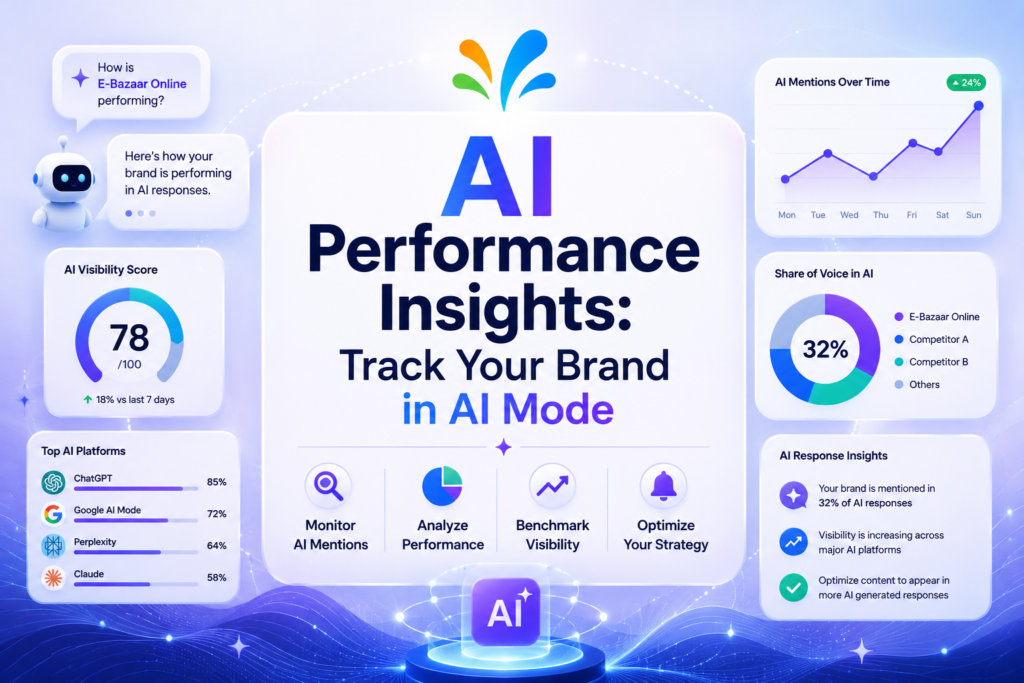
Google now has a built-in tool that shows retailers how their brand shows up in AI Mode and AI Overviews. It is called AI performance insights, and it lives inside Google Merchant Center. The report shows your share of voice against competitors, which conversational shopping queries are growing, and which product attributes are missing from your feed. It went live for businesses in the US, Australia, Canada, India, and New Zealand in September 2026, after a US-only pilot that started in July. This guide walks through what the report shows, who can see it, and how to actually use it.
What Is AI Performance Insights in Google Merchant Center
AI performance insights is a report built into Google Merchant Center. Google describes it as a way to see “specifically your performance on AI Mode and AI Overviews,” according to the company’s own Merchant Center help documentation. You find it under Analytics, then Products, then a tab labeled AI performance.
The report only counts conversational queries with shopping or brand intent. A search like “best waterproof hiking boots under $150” would count. A plain navigational search for a store name would not. That distinction matters, because it means the report is measuring a specific kind of AI search behavior, not every mention of your brand across ChatGPT, Gemini, or Google as a whole.
This is different from the generative AI performance report that Google has been rolling out inside Search Console. That Search Console report shows impressions for any URL across AI features in Search and Discover, and it is open to any site owner, not just merchants. AI performance insights is narrower by design. It is built for retailers, and it is built around shopping intent.
How AI Performance Insights Works
The report breaks your visibility into a handful of measures. Understanding each one is the difference between glancing at a dashboard and actually acting on it.
Share of voice is the headline number. It shows your AI impressions as a percentage of the total impressions across you and the competitors you have set up in Merchant Center, for queries related to your category. Google’s help page notes a few quirks worth knowing: a share of voice of 0 means there were not enough impressions to calculate anything, a dash means no impression data exists at all, and a reading of 100% usually means you have not defined any competitors yet.
Competitors’ average share sits next to your number so you can see at a glance whether you are ahead of or behind the competitor set you chose. You pick those competitors inside Merchant Center, and the report cannot change that set on its own.
Query frequency and query type show how often certain kinds of conversational searches happen, and what stage of buying they represent. This is where the report starts to feel less like analytics and more like market research, because it is telling you what people are actually asking AI assistants about products like yours.
Shopping Stages: Discovery, Evaluation, Ready to Buy
Google groups queries into three shopping stages. Discovery covers broad category searches, the kind of question someone asks before they know exactly what they want. Evaluation covers spec comparisons and feature research, the point where a shopper is narrowing options. Ready to buy covers price checks, review lookups, and other signals that someone is close to a purchase.
Seeing which stage your AI impressions cluster around tells you something practical. A brand that shows up heavily in Discovery but barely in Ready to buy has an awareness problem, not a conversion problem, at least as far as AI search is concerned.
The Three New Sections Added to AI Performance Insights
Google added three additional sections to the report in early September 2026, based on a screenshot SEO consultant Brodie Clark shared and Google’s own updated help documentation. They give the report more of a to-do-list feel.
- AI search intent shows how well your current products match the conversational searches people are running. It is a matching view, not a ranking view, so it will not tell you your position, only how closely your catalog lines up with demand.
- AI search terms flags popular terms worth adding to the titles and descriptions of products that are already showing up in AI results. The logic is straightforward: if a phrase is driving conversational searches and your product already appears for some of them, using that exact phrase in your listing copy should help you show up more consistently.
- AI attributes highlights attributes you have not filled in yet, prioritized by how often shoppers search using them. Missing a color, material, or size attribute is a common, fixable reason a product gets left out of an AI answer.
None of these sections promise a ranking boost. They are closer to a checklist pulled from real query data, which is arguably more useful than a black-box score would be.
Who Can Access AI Performance Insights Right Now
The rollout has moved in stages. Google opened a limited pilot to a small number of US Merchant Center accounts in mid-July 2026. By early September, access had expanded to Australia, Canada, India, and New Zealand. On September 16, Google confirmed the report was generally available across all five of those countries, alongside a short video walking through how to read it.
Access still comes with real limits. The report currently covers English-language queries only. There is no single combined report across every product category. The data is impression-based, with no click metrics at all, and historical figures update daily with a short lag rather than in real time. If your Merchant Center account does not show the AI performance tab under Analytics and Products yet, that most likely means your account, country, or language is outside the current rollout, not that something is broken.
How to Use AI Performance Insights to Improve AI Mode Visibility
Checking the report is only step one. Here is a practical sequence for actually doing something with it.
- Set your real competitors first. Share of voice is meaningless without an accurate competitor set, so start there before trusting any other number in the report.
- Read the shopping stage breakdown before anything else. It tells you whether your visibility gap is about discovery, comparison, or purchase intent, which changes what you should fix.
- Work through the AI attributes section first, not last. Missing attributes are usually the cheapest fix available: adding a color, material, or size field takes minutes and directly affects whether a product is eligible to appear at all.
- Add the flagged AI search terms to titles and descriptions, but only where they are accurate. Do not stuff a term onto a product it does not actually describe. In my experience, mismatched attributes tend to get filtered out of shopping feeds anyway, so accuracy is not optional here.
- Recheck share of voice after a few weeks, not a few days. The report updates daily but with a lag, and feed changes take time to work through Google’s systems.
This loop, read the gap, fix the feed, recheck the number, is the same basic discipline that has always worked for traditional ranking in Google AI Overviews. AI performance insights just gives retailers a dedicated dashboard for doing it instead of guessing from anecdotal reports.
AI Performance Insights vs Third-Party AI Visibility Tools
Several SEO platforms now sell their own AI visibility tracking, built by sending sample prompts to ChatGPT, Gemini, and other assistants and recording what comes back. Those tools are useful for broad brand monitoring across many AI surfaces at once.
AI performance insights is not trying to be that. It only covers Google’s own AI Mode and AI Overviews, and it only covers shopping-intent queries. The upside is that the data comes straight from Google’s own impression logs rather than from simulated prompts, so there is less guesswork about whether a sampled query actually reflects real search volume. The honest answer for most retailers is that the two approaches are complementary rather than competing: use a third-party tool for cross-platform visibility, and use AI performance insights for the specific, actionable feed fixes Google is already telling you about.
Part of a Bigger Pattern in Google’s AI Search Transparency
AI performance insights did not arrive in isolation. Google has spent much of October 2026 adding visibility tools and link changes across AI Mode and AI Overviews. Earlier in the month, Google reported that use of its Preferred Sources feature had grown more than 7x since the start of the year, part of a wider push to show more inline links and surface official pages more clearly in AI answers.
Taken together, these moves suggest Google sees publisher and retailer trust in AI search as something it has to actively manage, not something it can assume. A retailer that cannot measure its own visibility in AI Mode has little reason to keep investing in structured, well-labeled product data. AI performance insights, imperfect as it is, gives Merchant Center accounts a reason to keep that investment going.
It is also a reasonable bet that this pattern continues. Google has already expanded the report from a US-only pilot to five countries in two months, and added three new sections in the same window. A retailer ignoring AI performance insights today may find it has become a standard part of Merchant Center reporting within another quarter or two.
Limitations Worth Knowing Before You Rely on This Data
A few caveats are worth repeating plainly, because it is easy to over-read a new dashboard.
- There are no click or conversion numbers in the report, only impression-based share of voice.
- English-only coverage means multilingual catalogs will have visibility gaps the report cannot show you.
- Competitors are fixed to whatever set you configured in Merchant Center, so a stale competitor list will quietly skew every number.
- Paid Shopping ads are excluded. The report only reflects organic, free listing visibility in AI Mode and AI Overviews.
None of this makes the report less useful. It just means treating it as one input among several, the same way any single analytics report deserves a bit of skepticism before you act on it.
Why This Matters
AI Mode and AI Overviews are already shaping how shoppers discover and compare products before they ever land on a retailer’s site. AI performance insights is Google’s acknowledgment that retailers need a way to measure that shift instead of guessing at it. For any brand selling through Google Shopping, this report is worth checking even in its current limited form.
What to do next:
- Check Merchant Center under Analytics and Products to see if the AI performance tab has reached your account yet.
- If it has, set an accurate competitor list before reading any other number.
- Fix the missing attributes the report flags first, since they are usually the fastest win.
- If it has not arrived yet, keep your product feed complete and accurate anyway. That groundwork pays off the moment access does roll out.
FAQ: AI Performance Insights and Google Merchant Center
Is AI performance insights available to every Merchant Center account?
No. As of this report, it is limited to accounts in the US, Australia, Canada, India, and New Zealand, and only for English-language queries. Google has not given a date for a wider rollout.
Does AI performance insights show clicks or only impressions?
Only impressions. The report measures share of voice based on how often your products appear in AI Mode and AI Overviews for conversational shopping queries, not how often people clicked through.
Do I need to run paid Shopping ads to see data in this report?
No. The report is built around organic, free listing visibility. Paid Shopping ads traffic is specifically excluded from the numbers.
How is this different from the AI report inside Search Console?
Search Console’s generative AI performance report is open to any site, not just merchants, and it shows raw impressions across AI features in Search and Discover. AI performance insights is Merchant Center only, focused specifically on shopping and brand intent queries, and it adds competitive share-of-voice data that Search Console does not provide.
What is the fastest way to improve my share of voice?
Start with the AI attributes section. Filling in missing product attributes such as color, material, or size is usually the quickest, lowest-effort change, and it directly affects whether your products are even eligible to appear in an AI answer.

Leave a response