

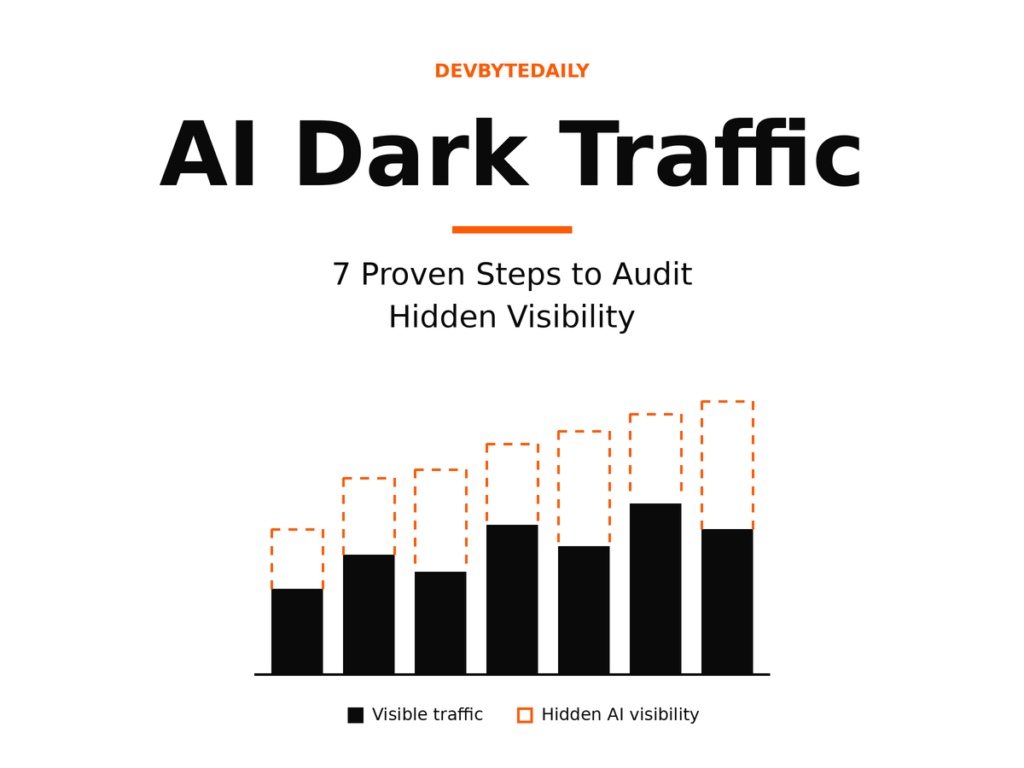
If you run a website, your traffic reports are probably lying to you a little. AI dark traffic is the term analysts use for real visits and brand influence that come from AI assistants like ChatGPT, Gemini, and Google’s AI Overviews, but that show up in your analytics as “Direct” or disappear entirely. The fix isn’t a single setting; it’s a short audit you can run this week using Google Search Console, GA4, and a handful of manual checks.
Below is the exact 7-step process, what each step actually proves (and doesn’t), and who should bother running it at all.
What Is AI Dark Traffic?
AI dark traffic is a visit that originated from an AI assistant or AI-powered search result, but arrives at your site with no referrer header. Browsers and apps often strip that information when a link is opened from inside a chat interface, a mobile app, or a generated summary. Your analytics tool has no way to tag the session as “from ChatGPT,” so it defaults to the catch-all bucket: Direct.
This sits between two other categories you’ve probably seen discussed. Visible AI traffic is the small slice where the referrer survives intact — a session that GA4 can correctly label as coming from chatgpt.com or perplexity.ai. AI influence is the much fuzzier idea of a user who saw your brand mentioned inside an AI answer, never clicked anything, and later typed your brand name into Google. Dark traffic is the messy middle: a real click happened, but the trail went cold.
Third-party analyses have estimated dark AI traffic at roughly 20% to 40% of all AI-originated sessions, meaning the “visible” number in your AI channel report could understate real AI-driven visits by a wide margin. That figure is a vendor estimate, not a measured fact, and it’s worth treating it that way when you report it upward.
Why AI Dark Traffic Is Growing Right Now
Three things are pushing AI dark traffic into every marketer’s dashboard in 2026, not just at AI-native startups.
First, Google itself has been expanding how much of a results page an AI-generated answer can occupy. Search Engine Roundtable documented Google testing AI Overviews that auto-expand into a full AI Mode-style answer for some queries, pushing traditional blue links further down the page without a click required. Google confirmed the test but described it as limited and query-dependent, not a global rollout.
Second, Google has started giving site owners partial visibility into this shift, a trend our look at Search Console’s expanding AI traffic reporting covers in more depth. Search Console now includes AI Overviews and AI Mode result types in its Performance report, and Google’s own help documentation confirms clicks and impressions are counted for these appearances, following the same general methodology as regular search results. That’s useful, but it only covers Google’s own AI surfaces — it says nothing about ChatGPT, Gemini’s standalone app, Copilot, or Perplexity.
Third, independent traffic analyses in 2026 have reported that a large share of Google searches now end without any click at all, a pattern that gets noticeably stronger when an AI Overview appears on the results page. Those numbers come from third-party trackers, not Google, so treat them as directional evidence rather than confirmed figures. The direction they all point in is consistent: more answers, fewer clicks, murkier attribution.
The AI Dark Traffic Audit: 7 Steps
You don’t need new software to start an AI dark traffic audit. You need about two hours, access to GA4, Search Console, and your server logs, and the discipline to keep “measured” numbers separate from “estimated” ones.
Step 1: Separate Measured Traffic From Estimated Influence
Before touching any tool, create two columns in your reporting sheet: Measured and Estimated. Measured covers sessions with an intact AI referrer. Estimated covers everything inferred about AI dark traffic from branded search lift, direct-traffic anomalies, or citation tracking. Never add the two together in an executive summary — it invites someone to ask for a number you can’t defend.
Step 2: Build a Custom AI Channel Group in GA4
GA4 added a native AI Assistants channel grouping, but it only catches sessions where the referrer domain matches its built-in list. Go to Admin > Data display > Channel groups and build a custom group using a regex that includes chatgpt.com, perplexity.ai, gemini.google.com, copilot.microsoft.com, and any other assistant relevant to your audience. Place it above the generic Referral channel so those sessions stop getting swallowed by “Other.”
If you haven’t set up key event and conversion tracking in GA4 yet, do that first so the new channel group actually reports something useful. Pull a 30-day baseline before and after you make the change so you can see what moved.
Step 3: Check Google Search Console’s AI Performance Report
Open Search Console’s Performance report and filter by search appearance for AI Overviews and AI Mode, where available for your property. This is the one dataset in this entire audit that comes directly from Google rather than a third-party estimate.
Google’s documentation notes that a link requiring a user to click “Show more” or otherwise activate it only counts as an impression once that activation happens, and a URL shown in both an AI Overview and a normal blue link on the same results page counts once, not twice. Compare AI-related impressions against your overall impression trend for the same queries month over month.
Step 4: Audit Your Server Logs for AI Crawlers
Pull your raw server logs and filter for known AI crawler user agents: GPTBot, ClaudeBot, PerplexityBot, and Google-Extended, among others. This tells you what content is being retrieved and potentially used to generate answers, which is a leading indicator for future citations. It is not a measure of actual visibility or clicks — a page getting crawled heavily can still get zero citations. Treat this as a “what’s being read” signal, separate from everything else in this audit.
Step 5: Track Branded Search Lift
In Search Console, isolate branded queries (your company and product names) and chart impressions and clicks over a rolling 12-week window. A sustained lift in branded search that doesn’t correlate with a PR push, ad spend increase, or seasonal event is one of the better indirect signals that AI answers are introducing your brand to new people who then search for you by name — the same pattern we broke down in our piece on AI Overviews reaching 80% of branded searches. It’s still an inference, not proof, so note the confounders you ruled out when you report it.
Step 6: Run a Manual Citation Check Across AI Platforms
Build a fixed list of 20 to 30 prompts a real buyer might type, covering comparison, how-to, and recommendation phrasing relevant to your niche. Run each one in ChatGPT, Gemini, Perplexity, and Copilot on the same day, and log whether your brand or URL appears, where it appears in the answer, and how it’s described. Repeat this on a fixed schedule (weekly or every two weeks) so you have a trend line instead of a single snapshot. This is manual work, but it’s the only way to see what an AI assistant actually tells a prospective customer about you.
Step 7: Add a Self-Reported Attribution Question
Add a short “How did you hear about us?” field to your signup, demo request, or checkout flow, with an explicit option for “AI assistant (ChatGPT, Gemini, etc.).” This won’t capture every AI-influenced conversion, but it directly surfaces the ones your analytics missed entirely, and it’s the cheapest step in this whole audit to implement.
Who This Audit Is For (and Who Can Skip It)
An AI dark traffic audit is worth the two hours if you run a content site, SaaS product, local service business, or ecommerce store that depends on organic search for a meaningful share of new customers, and if leadership is already asking why traffic looks flat while rankings look fine.
You can reasonably skip or scale this down if your traffic is almost entirely paid, your business is not something people research or ask assistants about (highly local, walk-in-only services with no informational search demand), or you lack access to GA4 and Search Console admin settings to make the channel group changes in Step 2.
Limitations and Honest Caveats
Every figure attached to “dark AI traffic” right now is a third-party estimate, not a confirmed industry standard. Different analytics vendors use different methodologies, and their percentages won’t match each other exactly. Treat any specific number you see quoted, including the ones in this article, as directional.
Google has only confirmed AI-related click and impression counting for its own AI Overviews and AI Mode surfaces inside Search Console. It has not published equivalent data for how ChatGPT, Gemini’s standalone app, or other third-party assistants drive traffic to your site, so Steps 4 through 7 above will always remain partly inferential.
Finally, server log analysis and citation checks are time-consuming if done manually at scale. Several AI-visibility monitoring tools now automate parts of Steps 4 and 6, which is worth evaluating once you’ve validated the manual process and know what you’re actually trying to measure.
A Realistic Example Walkthrough
Picture a mid-sized B2B software review site. Its GA4 Direct channel grew 18% year over year while its tracked organic sessions stayed flat. Running Step 2 surfaced almost no new AI-referral sessions because most of its traffic sources had never been added to a custom channel group.
Running Step 5 told a different story: branded search impressions in Search Console had climbed steadily over the same period, with no corresponding ad spend or press coverage to explain it. Step 6 confirmed the likely cause — the site’s comparison pages were being cited by name in ChatGPT and Perplexity answers for several of its target prompts.
None of that proves every bit of the Direct growth was AI dark traffic. But combined, it gave the team enough evidence to stop writing off that 18% as “unexplained” and start treating its comparison content as a deliberate AI-visibility asset worth protecting and expanding, informed by the AI visibility tracking approach used by tools like Ahrefs and Semrush.
FAQ
Is AI dark traffic the same as “not provided” keyword data?
No. “Not provided” referred to Google hiding search query terms after it moved to HTTPS years ago. AI dark traffic is about losing the referrer source itself, not just the query that led to it.
Can I fully recover AI dark traffic with better tracking?
Not completely. Some of it can be recovered with UTM parameters if an AI platform preserves them, and some can be inferred through the steps above, but a portion will likely always be invisible as long as apps and in-chat browsers strip referrer data by default.
Does Google Search Console show ChatGPT or Perplexity traffic?
No. Search Console’s AI performance report only covers Google’s own AI Overviews and AI Mode. Traffic and citations from other assistants need to be tracked separately through GA4 channel groups, server logs, and manual citation checks.
How often should I re-run this audit?
Weekly for the citation check in Step 6, and monthly for the full AI dark traffic audit, with a 90-day recalibration of your channel group definitions as new assistants gain adoption.
Conclusion and Next Step
AI dark traffic isn’t a reason to distrust your analytics wholesale, but it is a reason to stop treating “Direct” as a meaningless bucket. The gap between what you can measure and what’s actually happening is real, documented by Google’s own Search Console methodology and by multiple independent traffic analyses in 2026.
Your next action: block out two hours this week, start with Step 2 (the GA4 custom channel group) and Step 3 (Search Console’s AI performance report), since both take minutes to set up and immediately separate measured AI sessions from the Direct bucket they’ve been hiding in. Everything else in this audit builds on having that baseline in place.


Leave a response