

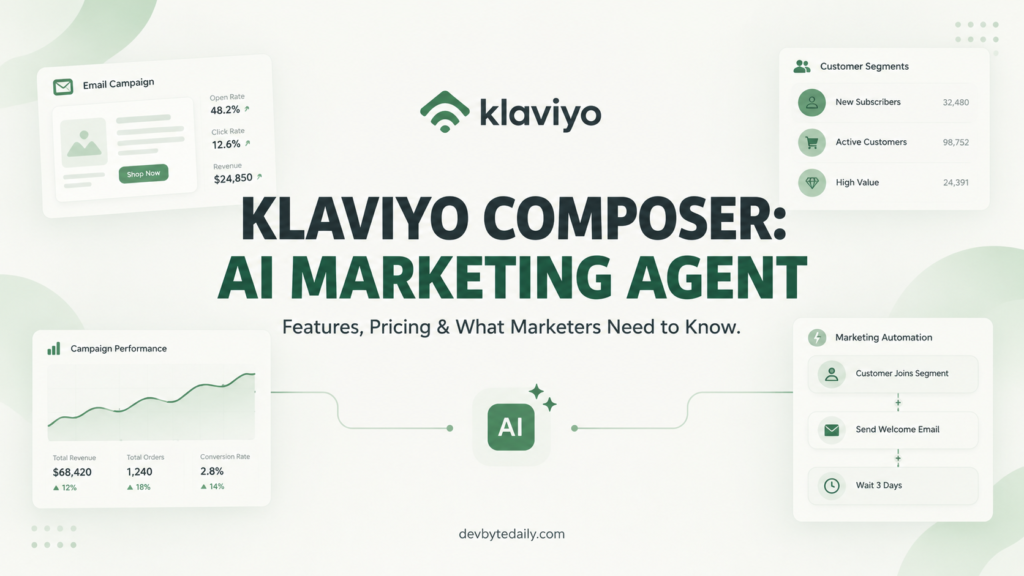
Klaviyo made Composer, its AI marketing agent, generally available to every Klaviyo account starting October 13, 2026. The rollout followed a run in open beta. It is the clearest sign yet that Klaviyo wants an AI layer sitting on top of its email and SMS platform, not bolted beside it. Klaviyo Composer now audits your flows, segments and campaigns, answers open-ended questions about your account data, and can run scheduled checks in the background. This article breaks down what it actually does, what it costs in credits, and who should bother using it.
What Klaviyo Composer Actually Does
Klaviyo describes Composer as an AI marketing agent that is “grounded in your business.” In practice, that means it reads your account’s customer, marketing and commerce data. It does not answer from general knowledge alone.
Composer ships with a set of pre-built skills. It can audit a flow, a form, a template or a campaign and flag what is underperforming. It can analyze a segment and explain why it is growing or shrinking. It can also draft a campaign from a plain-language request, pulling in audience targeting and message variants.
Picture a hypothetical mid-size apparel brand whose welcome flow has a conversion rate that quietly dropped over the past quarter. Instead of pulling three separate reports and cross-referencing them by hand, a marketer could ask Klaviyo Composer to audit that flow directly. Composer would point to the step losing the most people, suggest a reason based on the account’s own data, and draft a revised message to test. The marketer still reviews and approves the change before it goes live, but the first-pass diagnosis happens in minutes rather than an afternoon.
On the service side, a related Klaviyo AI agent handles customer conversations, including social auto-replies and ticket deflection. Composer itself stays focused on marketing analysis and campaign creation rather than customer support.
Every output still needs a human to approve it before anything goes live. Klaviyo has been explicit about this in its own materials: nothing Composer builds publishes itself. You review a draft campaign or a suggested change and decide whether to ship it.
That matters for a tool like this. An AI agent that quietly edits a live flow without a review step would be a liability for any brand running revenue-generating automations. Composer keeps a person in the loop by design.
Klaviyo Composer Pricing and Credits Explained
Composer runs on a credit system, and Klaviyo’s own help documentation lays out the numbers plainly. Every account gets a free allowance automatically, with no sign-up step and no credit card required. This is a different model from a flat monthly AI add-on fee. It takes a bit of getting used to if you have never budgeted for usage-based software before.
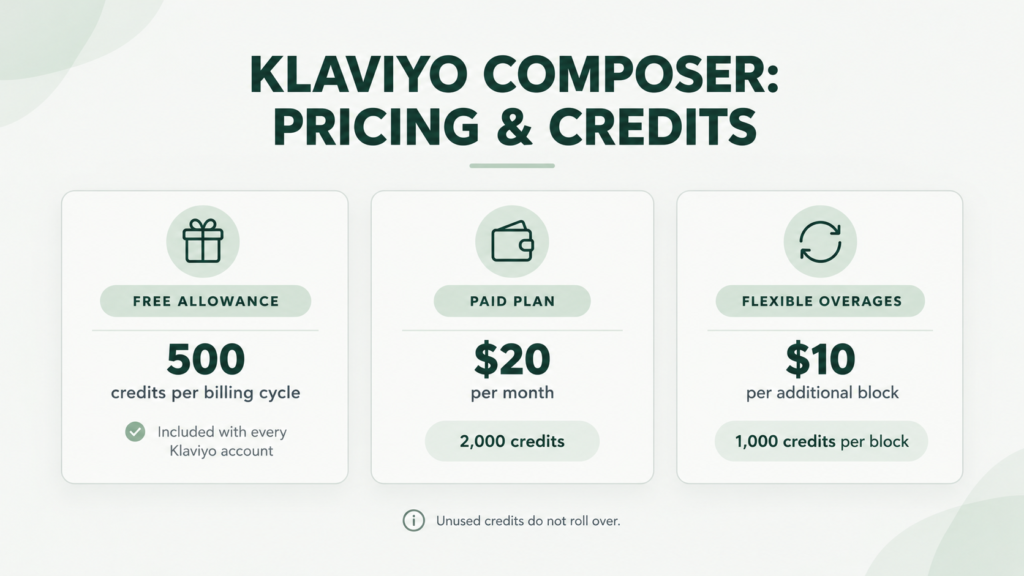
- Free plan: 500 credits per billing cycle, included with every account.
- Paid plan: $20 per month for 2,000 credits, four times the free allowance.
- Flexible overages on paid plans: once you hit your limit, Klaviyo automatically buys more capacity in $10 blocks of 1,000 credits. A full block is billed even if you only use part of it, and several blocks can be charged in one cycle.
Asking Composer a general question or requesting support is free. Credits only get consumed when Composer actually does work. Klaviyo’s help center lists estimated cost ranges for each action type, since the exact price depends on how much data the request touches:
- Analyzing data: roughly $0.35 to $0.90 per request.
- Auditing a text message: roughly $0.25 to $1.80.
- Auditing a segment: roughly $0.30 to $1.30.
- Auditing a flow, form or template: roughly $0.10 to $4.50.
- Auditing a campaign: roughly $0.10 to $0.50.
- Creating a campaign: roughly $0.10 to $10.00.
- Analyzing or auto-replying on social: roughly $0.00 to $0.80.
It’s worth flagging that pricing has moved during the rollout. During the earlier public beta, Klaviyo offered an introductory rate of $14 per month for 2,000 credits. The current help documentation lists $20 per month for the same 2,000 credits, so the introductory pricing appears to have expired as Composer reached general availability. If you signed up during beta, double-check your current billing page rather than relying on older screenshots floating around online.
What a Credit Actually Buys You
The cost ranges above are wide on purpose. A quick campaign audit on a small list costs far less than building a full campaign with multiple message variants for a large, complex segment. Klaviyo does not show you the exact cost before you run an action, only after.
A usage panel inside the product tracks how many credits you have left and when your cycle resets. You get alerts at 80%, 90% and 100% of your allowance. Once you hit 100% on the free plan, or on a paid plan without overages turned on, credit-consuming actions simply stop until the next cycle or an upgrade.
Unused credits do not roll over. If you only use 200 of your 500 free credits this cycle, the other 300 are gone when the cycle resets. That is a meaningful detail for anyone trying to budget Klaviyo Composer usage month to month.
What’s New in the Klaviyo Composer GA Release
Klaviyo’s general availability announcement added three capabilities worth knowing about, confirmed in the company’s own blog post announcing the release.
First, Composer can now compare your results against industry benchmarks pulled from more than 205,000 Klaviyo customers, including peers in similar verticals and at a similar scale. That turns a flow audit from “here’s what’s happening” into “here’s how that compares to brands like you.”
Second, answers now come with visible citations, so you can see which data or document informed a given response instead of taking Composer’s word for it.
Third, Composer can run on a schedule in the cloud, even while you are logged out. A weekly top-flows review or a monthly lifecycle comparison across markets can happen automatically and land in your inbox or dashboard without you triggering it manually each time.
A related update, a plain-language SQL layer inside Klaviyo’s data platform, also feeds into Composer. Previously, Composer could only answer questions its built-in skills covered. With SQL support, it translates an open-ended question into a query against your account data and returns an answer along with the query it used. Klaviyo says this is “built to return the same answer every time.” That matters for a feature this new. I would check its output against a number you already trust before reporting it to a client or a boss.
Honest Limitations of Klaviyo Composer
No cost shown before you act is the biggest adjustment for anyone used to flat-rate software. You commit to an action, then find out what it cost. For a solo marketer on a tight budget, that uncertainty is worth planning around rather than ignoring.
Composer is also not a standalone product. It lives inside Klaviyo and works with Klaviyo data. If your email program runs on Mailchimp, HubSpot or another platform, Composer is not something you can bolt on separately.
The SQL-powered analysis is brand new at general availability, and Klaviyo’s own guidance recommends verifying its answers rather than trusting them blindly from day one. In my experience, any tool that generates numbers for stakeholders needs a short trust-building period before you stop double-checking it.
Overages can surprise teams that don’t turn on alerts. A $10 block for 1,000 extra credits sounds small in isolation. A busy team running frequent audits and campaign drafts could rack up several blocks in a month, though, if nobody is watching the usage panel.
Finally, Composer drafts; it does not publish on its own. That is a safety feature, but it also means the time savings are not as large as an “autonomous agent” pitch might suggest. Someone on your team still needs to review every output before it goes live.
Who Klaviyo Composer Is For
Klaviyo Composer fits ecommerce and DTC brands already running their email and SMS program on Klaviyo who want a faster first pass on flow and campaign audits. If you already pay for Klaviyo, the free 500 credits cost nothing extra to try.
It also suits lean marketing teams without a dedicated analyst. Asking Composer why a segment shrank, or which flow step loses the most people, can replace an hour of manual report digging. I would start with the free tier and track how many credits a normal week of audits actually consumes before deciding whether the $20 plan pays for itself.
Agencies managing several Klaviyo accounts may find the scheduled reviews useful for client reporting, since a recurring flow audit can run unattended and feed into a monthly update.
Here’s a hypothetical worth considering before you commit budget. A small agency running Klaviyo Composer across five client accounts might schedule a weekly flow audit for each, plus a handful of on-demand campaign audits. Tally that up and you would likely land in the low thousands of credits a month. That is a rough illustration, not a number from Klaviyo, and actual usage depends heavily on account size and how often audits run. Test on one account first and extrapolate from real credit consumption rather than guessing across an entire client roster.
Klaviyo Composer is a weaker fit for brands not on Klaviyo at all, and for teams that need predictable, capped software costs with no usage-based billing. It also is not for anyone expecting it to replace strategic thinking rather than speed up analysis and drafting. It audits and drafts well. It does not decide your positioning, your offer or your brand voice for you.
How Klaviyo Composer Compares to Other AI Marketing Agents
Composer is part of a broader pattern across marketing software this year. Platforms are embedding AI agents directly into the tools marketers already use, rather than shipping a separate chatbot product. DevByteDaily covered a similar move when we looked at HubSpot’s Breeze Assistant. It brings AI-generated content and CRM actions into HubSpot’s own workspace the same way Composer works inside Klaviyo.
The common thread across these launches is scope. An agent built into one platform knows that platform’s data deeply but has no visibility into tools outside it. If your stack spans several platforms, you will likely end up running more than one AI agent, each confined to its own corner of your martech setup. We looked at that broader shift in our overview of AI agents for marketing, and the pattern holds here too.
Credit-based, pay-as-you-go pricing is also becoming more common for these embedded agents, replacing flat per-seat AI add-on fees. It shifts cost risk toward the customer when usage spikes. It also means light users genuinely pay less than heavy ones, which flat pricing rarely offers.
Klaviyo Composer FAQ
Is Klaviyo Composer free?
Every Klaviyo account gets 500 free credits per billing cycle automatically. Paid plans start at $20 per month for 2,000 credits, according to Klaviyo’s help documentation.
Does Klaviyo Composer replace an email marketer?
No. It drafts campaigns and audits performance, but a person still has to approve everything before it goes live, and it has no input on brand strategy or positioning.
Can I try Klaviyo Composer without a Klaviyo account?
No. Composer is built into Klaviyo and works only with Klaviyo account data, so it is not available as a separate product.
What happens when I run out of Composer credits?
On the free plan or a paid plan without overages, credit-consuming actions stop until your next cycle or an upgrade. Paid plans with flexible overages turned on will automatically buy $10 blocks of 1,000 extra credits as needed.
Why This Matters and What To Do Next
Klaviyo Composer’s move to general availability shows how fast usage-based AI pricing is spreading through marketing software. If you run Klaviyo, the free tier costs nothing to test, so there is little reason not to try it on a routine flow audit this week.
Start small. Run one audit, check the credit cost against the usage panel, and decide from real numbers whether a paid plan makes sense for your team’s actual usage pattern. Do not rely on the headline pricing alone.




Leave a response