

Personal computing has arrived at a historic crossroads. For over four decades, our relationship with computers has remained strictly reactive: you sat down, opened an application, clicked a button, typed a prompt, and waited for the machine to return an output.
Today, that paradigm is changing forever.
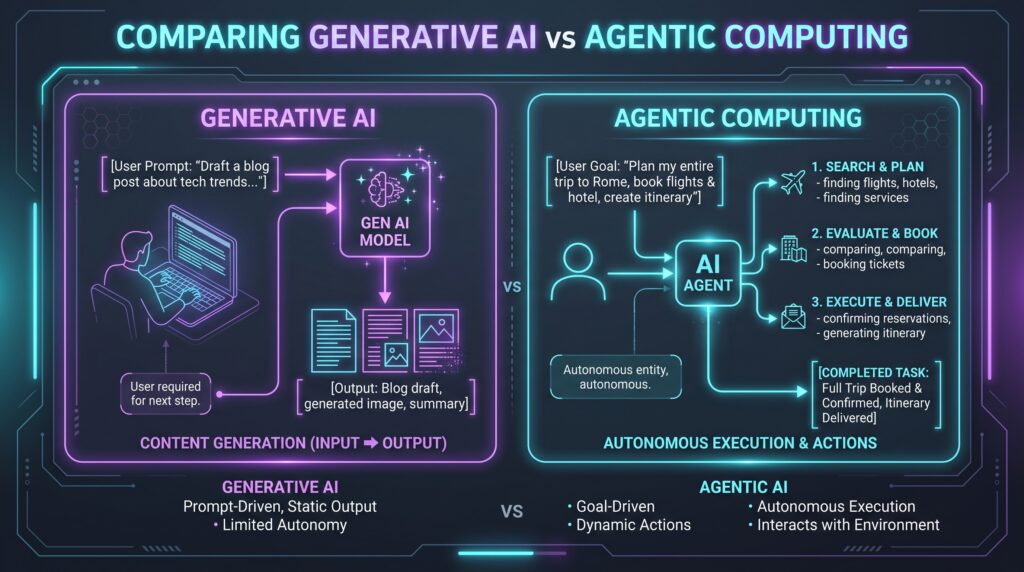
With the breakthrough emergence of Agentic Computing, your desktop computer is evolving from a passive digital canvas into an active, autonomous partner. Instead of merely responding to static commands, an agentic system perceives goals, plans multi-step processes, uses tools, debugs errors, and executes complex workflows independently in the background.
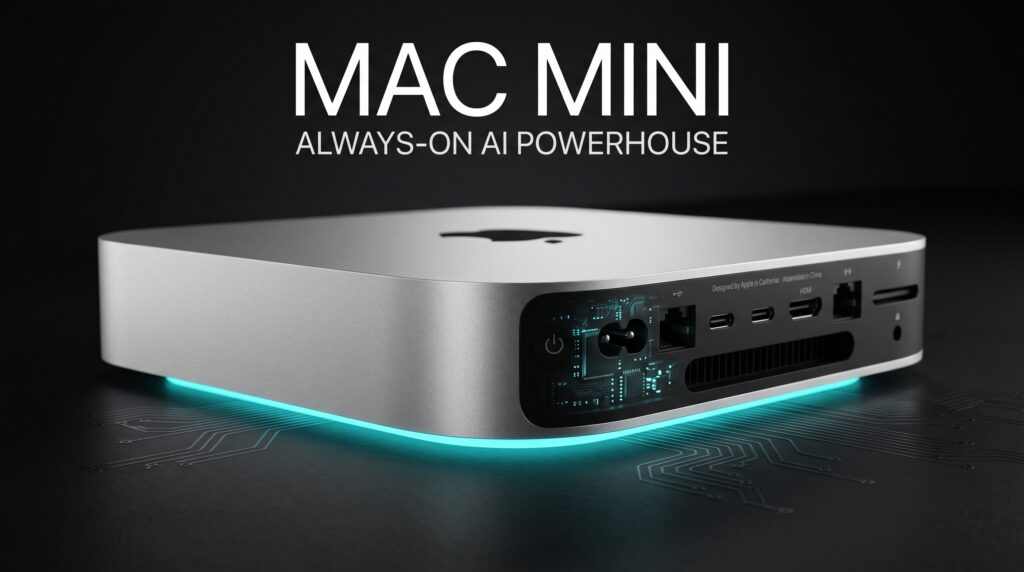
Apple’s ultracompact Mac mini has suddenly taken center stage as the ideal physical hardware for this new era. Delivering up to 4x faster AI performance, 2x faster graphics and storage, and an ultra-efficient thermal footprint, this pocket-sized desktop offers the perfect environment for uninterrupted, private, 24/7 on-device AI workloads.
“We are entering a transformative chapter where personal technology shifts from reactive tools to proactive collaborators. Always-on agentic computing requires unprecedented neural throughput, unified memory efficiency, and uncompromising privacy. With the Mac mini, we have packaged a quiet, 24/7 AI powerhouse into an ultracompact form factor that sits right on your desk protecting your data while working tirelessly for you.”
Tim Cook, CEO, Apple
1. Demystifying “Agentic Computing” The Next Evolutionary Leap
To understand why hardware manufacturers are redesigning desktop silicon, we must look closely at how AI interaction models have evolved over the last several years.
From Simple Chat to Autonomous Execution
-
Generation 1: Conversational Chatbots
You type a query or paste a document, and a large language model generates a paragraph. It is entirely single-turn and halts execution the second text generation stops.
-
Generation 2: Application Co-Pilots
AI plugins assist you inside dedicated software like code editors or spreadsheets, requiring continuous step-by-step human steering and review.
-
Generation 3: Always-On Agentic Computing
You state an overarching outcome: “Review all pending vendor invoices in my mailbox, cross-check them against accounting ledgers, flag discrepancies, generate an executive summary, and stage payment drafts.”
The agent breaks down the problem, executes each software tool, verifies outputs, handles exceptions, and finishes the task autonomously.
2. Why “Always-On” Desktop Hardware is Critical
Why does true agentic computing require dedicated desktop hardware rather than relying exclusively on cloud servers or mobile devices?
Uninterrupted Background Continuity
Mobile devices and laptops prioritize battery preservation above all else. When you close a laptop lid or lock your phone screen, deep sleep states suspend intensive background processing loops.
A dedicated desktop computer, by contrast, stays connected to steady wall power and direct wired network connections around the clock. It can continuously:
-
Digest, index, and organize incoming files and project data.
-
Run scheduled autonomous diagnostic and data-cleaning routines overnight.
-
Monitor incoming streams, live logs, and project pipelines without draining a battery.
The True Limitations of Cloud-Only Agents
While public cloud services are capable, routing continuous, 24/7 autonomous agent loops through remote APIs presents severe roadblocks:
-
Network Latency: Multi-step autonomous loops require dozens of micro-decisions per minute; cloud round-trips introduce crippling latency.
-
Exponential API Costs: Running heavy model calls non-stop across entire file systems leads to ballooning monthly subscription bills.
-
Data Exposure: Uploading your complete personal digital footprint, proprietary codebases, or sensitive client files to remote servers introduces serious security liabilities.
3. Apple Silicon Architecture: Engineered for AI Throughput
The new Mac mini achieves its massive leap in AI performance through custom-tailored on-chip architecture and unified design principles.
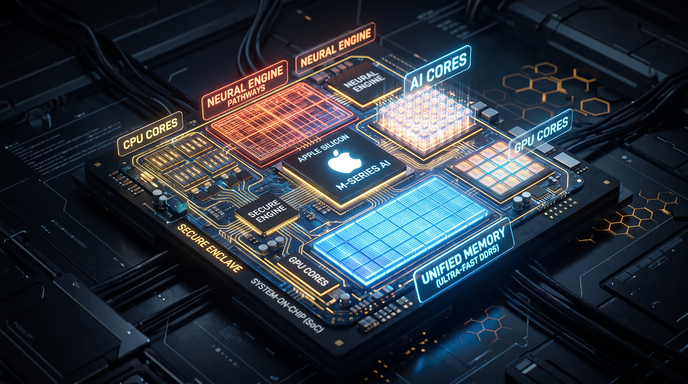
1. Unified Memory Architecture (UMA)
In conventional desktop architectures, data must constantly be copied back and forth between system RAM and separate graphics card VRAM across PCIe bottlenecks.
Apple Silicon eliminates this barrier entirely. The CPU, high-core GPU, and dedicated Neural Engine all access a single, unified, ultra-wide memory bus. This allows massive multi-modal models and large context windows to run directly on your desk without memory allocation bottlenecks.
2. Quad-Speed Neural Engine
Next-generation matrix math accelerators are built specifically to handle modern transformer calculations, mixed-precision quantization, and low-latency inference. This provides the sheer compute horsepower needed to run real-time agent loops locally.
3. Accelerated High-Speed Storage
Agentic workflows rely on Retrieval-Augmented Generation (RAG), repeatedly querying local vector stores and knowledge graphs. With up to 2x faster storage throughput, file retrieval and context caching occur almost instantaneously.
4. Real-World Applications: Daily Agentic Workflows
How does always-on agentic computing transform the everyday work of professionals, creators, and business leaders?
A. The Autonomous Developer Pipeline
-
Continuous Refactoring: While you rest, local code agents run test suites across multiple branch variations, identify performance regressions, and generate documented pull requests.
-
Local Dependency Audits: The agent scans code repositories for outdated packages, checks vulnerability databases, and builds sandbox verification environments to test compatibility.
B. The Creative Production Studio
-
Automated Asset Management: When a video shoot finishes, the agent parses raw camera files, generates local speech-to-text transcripts, categorizes clips by visual content, and organizes project bins automatically.
-
Background Rendering & Batch Exporting: Unattended batch conversions, proxy generations, and metadata tagging happen silently without interrupting active editing sessions.
C. The Executive Operational Co-Pilot
-
Intelligent Daily Briefs: The agent processes communications across your inbox, calendar, and task trackers, synthesizing them into a clean morning priority matrix.
-
Proactive Schedule Management: When meeting conflicts arise, the agent evaluates priorities, identifies alternative time slots, and drafts rescheduling requests for one-click approval.
5. Uncompromising Security & Local Privacy
When digital agents are granted access to your files, applications, and communications, data security must be absolute.
Local Data Sovereignty
By processing tasks directly on your Mac mini, your documents, financial records, and personal notes remain securely on local solid-state storage. No telemetry or training data leaves your machine without explicit permission.
Hardware-Enforced Sandboxing
Every autonomous tool interaction runs within strict operating system boundaries. macOS sandboxing ensures that agents cannot access sensitive hardware components, passwords, or protected folders without explicit user authorization.
Apple Private Cloud Compute (PCC)
When tasks occasionally require cloud-scale processing, requests are routed to Apple’s Private Cloud Compute infrastructure. This architecture uses cryptographically verifiable servers that run on Apple Silicon, process data strictly in temporary memory, and retain zero personal logs.
6. The Energy Equation: Why Efficiency Dictates Desktop AI
Running continuous AI tasks around the clock demands an extreme focus on power efficiency and thermal design.
Whisper-Quiet Thermal Architecture
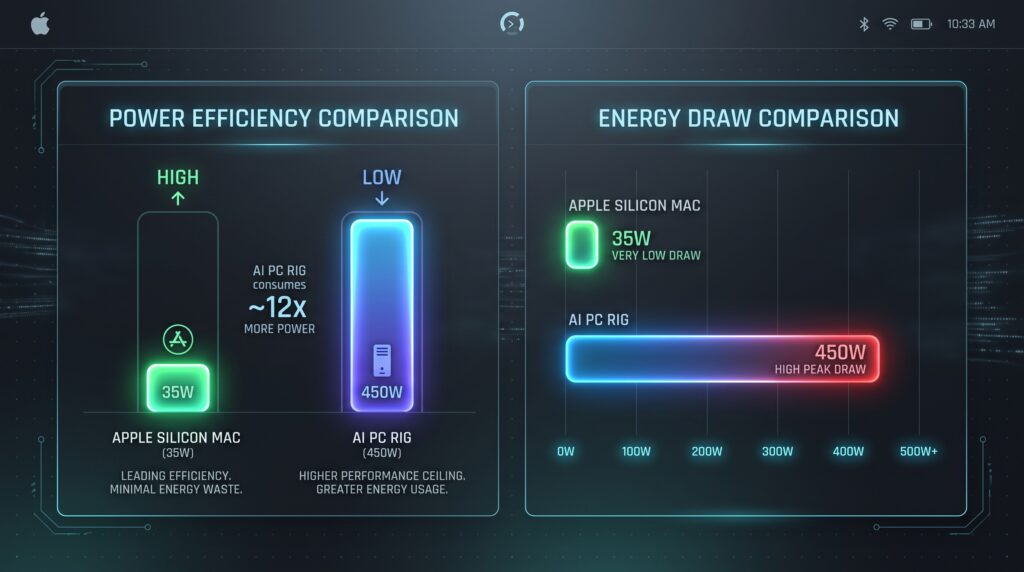
Traditional desktop PC rigs equipped with high-end discrete GPUs often draw between 450 to 650 watts under heavy compute loads, requiring loud cooling fans and generating significant room heat.
The Mac mini operates at a fraction of that power drawing as little as 35 to 65 watts even under intense matrix computation. This means you can keep advanced AI workflows running 24 hours a day, 365 days a year, without loud noise or skyrocketing electricity bills.
7. How to Set Up Your Local Agentic Desktop
Setting up an autonomous AI workflow on a modern Mac desktop is straightforward when following a structured deployment roadmap.
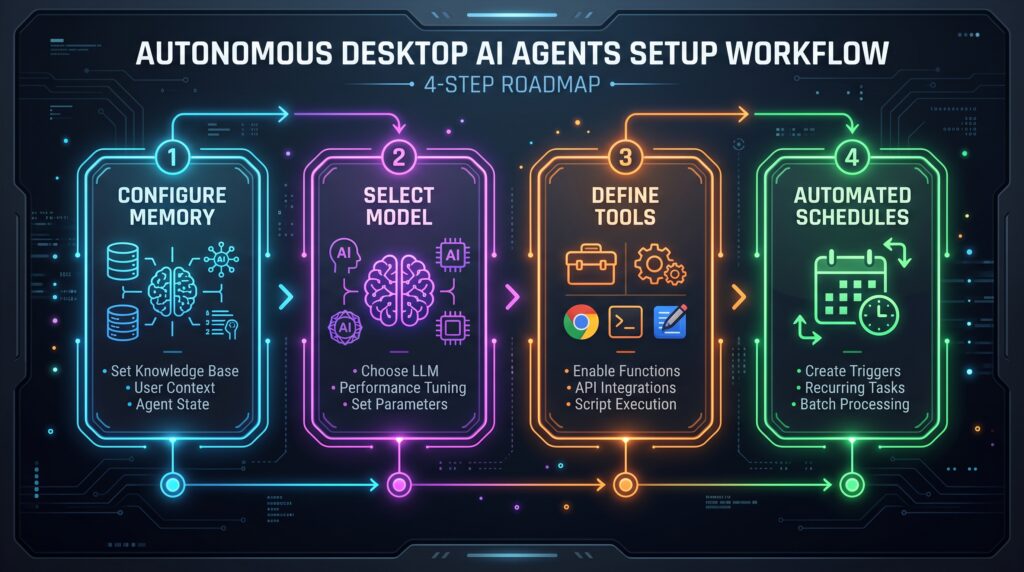
Step 1: Optimize System Memory
Choose a configuration with ample unified memory (32GB, 64GB, or higher) to ensure smooth operation when running multi-billion parameter models alongside your everyday creative apps.
Step 2: Leverage Native MLX & Quantization
Utilize frameworks built natively for Apple Silicon, such as Apple’s open-source MLX framework. These tools allow you to run quantized models (4-bit and 8-bit GGUF or MLX formats) with maximum efficiency and minimal latency.
Step 3: Define Scoped Permissions
Set up designated workspace folders and structured tool boundaries for your agent. Limit file-system read/write permissions to specific project directories to keep your system clean and organized.
Step 4: Schedule Background Triggers
Configure automated schedules using native macOS launch agents or cron triggers, enabling your machine to run maintenance scripts, data analysis, and reporting tasks during off-peak hours.
8. What’s Next: The Future of Ambient Intelligence
Looking ahead, the convergence of high-performance desktop silicon and autonomous software will continue to reshape how humans interact with technology.
-
Multi-Agent Collaboration: Future desktop environments will deploy specialized teams of lightweight agents working in tandem one researcher agent gathering facts, a builder agent assembling the deliverable, and an auditor agent validating accuracy.
-
Cross-Device Mesh Coordination: Your Mac mini will serve as the persistent heavy-compute anchor in your personal ecosystem. While you are away with your iPhone or iPad, complex compute requests will be handled quietly back at your desk.
-
Ambient Proactivity: Computing will shift from manual task execution to high-level strategic guidance. Instead of managing tools, you will simply set goals, review outputs, and direct creative vision.


Leave a response