

HubSpot Breeze Assistant is the conversational AI helper built into every HubSpot subscription, and as of HubSpot’s Fall 2026 Spotlight release it can now build its own AI agents, run prompts on a schedule, and plug into HubSpot’s new MCP server. That makes it worth a second look even if you tried an earlier version and shrugged.
This breakdown covers what the tool actually does today, what changed in the September 2026 update, what it costs, and where it genuinely helps versus where it still falls short. If you are weighing HubSpot Breeze Assistant against a dedicated AI agent builder or against doing nothing, this should give you a straight answer.
What Is HubSpot Breeze Assistant?
HubSpot Breeze Assistant is a conversational AI tool that sits inside the HubSpot CRM and answers questions using your actual CRM data, customer records, and HubSpot’s internal knowledge base. According to HubSpot’s official product page, it is included with every HubSpot subscription at no additional cost, and it is also available on HubSpot’s iOS and Android apps.
In practice, you open a chat panel and ask it to draft an email, summarize a deal, pull together an account brief before a sales call, or analyze pipeline trends. It is not a separate product you buy; it is a layer that sits on top of whatever hubs and tools you already pay for.
That matters for marketers specifically because the assistant can generate first drafts of landing page copy, ad variations, and campaign reports, then hand them off to a human for editing. It is positioned as a time-saver, not a full replacement for a content or marketing operations team.
What’s New in the Fall 2026 Release
HubSpot unveiled the biggest update to Breeze Assistant at its Unbound conference on September 16, 2026, as part of the Fall ’26 Spotlight release. Three changes stand out, according to HubSpot’s own developer changelog.
- Agent building inside the chat window. The assistant now walks you through creating an agent in Agent Builder, which HubSpot has placed in public beta. You describe what you want in plain language, and it proposes a goal, a set of tools, and relevant knowledge sources before opening the agent for testing or publishing.
- Scheduled Prompts. You can now have it run a prompt daily, weekly, or monthly, with each result landing as a new chat thread with an unread indicator. You can pause or delete a schedule at any time.
- An MCP server component for developers. HubSpot added an
mcp-serverapp component so a developer’s own tools can show up inside HubSpot’s AI agents. Marketplace apps using it still need HubSpot’s review before a wider release.
HubSpot frames all of this under what it calls “Growth Context,” the combination of CRM, customer, and team data that its AI features draw on. The company’s own marketing claims that businesses using this context see significantly more deals created and won, though HubSpot has not published independently verified figures behind that claim, so treat it as a company statement rather than a confirmed benchmark.
Separately, trade press including CMSWire reported on a “self-updating” Smart CRM that automatically captures and syncs calls, emails, and meetings, announced at the same event. HubSpot’s own changelog mentions Smart CRM only in passing, as a plan requirement for a different API, so the exact scope of that feature is best confirmed directly with HubSpot before you plan around it.
The MCP server detail is worth pausing on if you follow marketing tooling closely. MCP, short for Model Context Protocol, is an open standard that lets an AI assistant call outside tools and data sources in a consistent way, rather than every vendor building a one-off integration. HubSpot joining that approach puts it alongside a growing list of platforms that are opening their AI agents up to third-party connections instead of keeping everything closed off inside one app.
For a marketing team, the practical upshot is a longer runway rather than an immediate feature. Right now, the MCP server mostly matters to developers building HubSpot apps, not to a marketer clicking around the chat panel. That changes once marketplace apps built on it clear HubSpot’s review and start showing up as options inside Agent Builder.
HubSpot Breeze Assistant Pricing and Plan Tiers
The core chat experience itself carries no separate price tag. HubSpot’s product page states plainly that Breeze Assistant “is included with every HubSpot subscription at no additional cost,” and the Fall 2026 changelog confirms it is available across all hubs and tiers.
Where cost enters the picture is the specialized Breeze Agents that sit alongside the chat assistant, plus the new Agent Builder. HubSpot’s changelog states that Agent Hub and Agent Builder require a Professional or Enterprise plan. That means the free conversational layer is universal, but building and publishing your own custom agent is gated behind a paid tier.
Third-party pricing trackers, including a breakdown published by eesel AI (a HubSpot competitor, so read it as independent reporting rather than an official source), describe a credit-based system for HubSpot’s purpose-built agents: roughly 50 credits per resolved conversation for the Customer Agent, 10 credits per prompt for the Data Agent, and 100 credits per lead recommendation for the Prospecting Agent. Extra credit packs are reported at around $10 per 1,000 credits.
Those numbers come from a third party and were not confirmed on HubSpot’s own pricing page at the time of writing, so verify current rates with HubSpot or your account rep before budgeting. What is confirmed directly from HubSpot is that the chat-based assistant itself is free on any plan, while agent-building and agent-running features step up in cost and access as you move into Professional and Enterprise tiers.
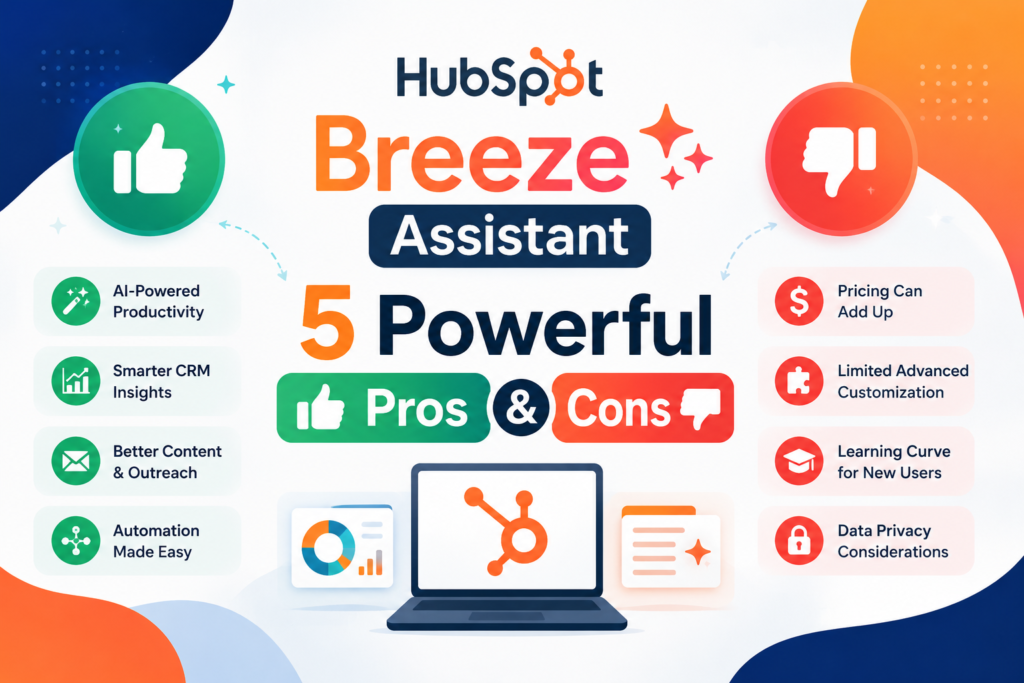
The Pros: What It Does Well
After pulling together HubSpot’s own documentation and the Fall 2026 changelog, a few genuine strengths stand out for marketers considering HubSpot Breeze Assistant.
- It is free on every plan. Unlike add-on AI copilots at other vendors, the base chat assistant is bundled into every subscription tier, including Starter.
- It already has your CRM context. Because it reads from the same database as your deals, tickets, and contacts, it skips the step of exporting data into a separate AI tool and re-explaining your business.
- Agent creation no longer requires technical setup. The new guided flow in Agent Builder lets a marketer describe a task in plain English rather than configuring tools and prompts from scratch, which lowers the bar for a non-technical team to try building an automation.
- Scheduled Prompts turn one-off questions into recurring reporting. A weekly “summarize this month’s email performance” prompt removes a small but repetitive task from someone’s to-do list.
- The MCP server opens the door to outside tools. Developers can expose their own app’s functions inside HubSpot’s agent ecosystem, which could eventually let marketing teams pull in data or actions from tools HubSpot doesn’t natively support.
The Cons: Where It Falls Short
None of this makes HubSpot Breeze Assistant a finished product, and the limitations are worth naming plainly.
- Agent Builder is in public beta. HubSpot itself labels this feature beta, which typically means rough edges, missing capabilities, and the possibility that behavior changes before general availability.
- The useful agent-building features are tier-gated. The free version answers questions and drafts content, but building and publishing your own agent requires Professional or Enterprise, which can mean a real cost jump for smaller teams.
- Pricing for the specialized agents is confusing. Credit-based pricing that varies by agent type, with allowances tied to subscription tier and monthly expiration, is hard to estimate in advance. HubSpot’s own site does not spell this out in plain dollar terms, which pushed us to rely on third-party reporting we could not fully verify.
- It is locked to the HubSpot ecosystem. The assistant only knows what lives inside HubSpot (plus whatever the new MCP server eventually exposes). If your marketing stack lives mostly outside HubSpot, you get far less value.
- Output still needs human review. Drafted emails, proposals, and reports are a starting point. Teams that treat AI drafts as finished copy risk publishing generic or inaccurate content, the same risk as any AI writing tool.
Who Should Use It (and Who Should Skip It)
HubSpot Breeze Assistant makes the most sense if you are already a HubSpot customer on any plan and want a faster way to draft marketing copy, summarize deals, or get quick answers from your CRM data without leaving the platform. For solo marketers and small teams on Starter plans, the free chat assistant alone can save real time even without touching Agent Builder.
It is also a reasonable pick for HubSpot shops on Professional or Enterprise that already have a marketing operations person willing to experiment with a beta feature, test Scheduled Prompts for recurring reports, and tolerate some rough edges while Agent Builder matures.
The tool is probably not the right fit if your team is not on HubSpot at all, since its main advantage is native CRM context it cannot offer outside the platform. It is also not a great match for teams that need a mature, battle-tested agent-building platform today rather than a public beta, or for anyone expecting the specialized Breeze Agents to be cheap and predictable to budget for right away.
How It Compares to Alternatives
The most direct comparison is Salesforce Agentforce, Salesforce’s own AI agent platform. Agentforce is generally positioned as an enterprise-grade, usage-priced add-on with deeper customization, aimed at larger sales and service organizations already standardized on Salesforce. HubSpot’s assistant, by contrast, leads with a free tier and a simpler, chat-first setup aimed more at small and mid-sized marketing teams, with its paid agent tier arriving later as needs grow.
A second comparison point is Zapier’s AI agent tools, which are not tied to any single CRM. Zapier Agents can connect to thousands of outside apps and are a better fit if your marketing stack is spread across many tools rather than centered on HubSpot. The tradeoff is that Zapier’s agents do not have the built-in CRM context that makes HubSpot Breeze Assistant immediately useful for deal summaries and account research.
If your organization is already running AI agents for marketing through other platforms, this tool is worth testing as a complement rather than a replacement, especially for the pieces of your workflow that already live inside HubSpot’s CRM. Teams building out a broader marketing automation strategy should treat Scheduled Prompts as one more input alongside existing workflow tools, not a wholesale replacement for them.
It is also worth keeping an eye on how AI-driven tool comparisons evolve generally. If you found this kind of head-to-head breakdown useful, our Ahrefs vs. Semrush AI visibility comparison covers a similar honest-tradeoffs approach for a different corner of the marketing stack.
Taken together, HubSpot Breeze Assistant’s real advantage is not raw AI capability compared to Agentforce or Zapier Agents. It is that the assistant is already sitting inside the CRM you are probably using anyway, with zero setup cost to start.
Frequently Asked Questions
Is HubSpot Breeze Assistant free?
Yes, the core chat assistant is included with every HubSpot subscription at no extra cost, according to HubSpot’s own product page. Building and publishing custom agents through Agent Builder requires a Professional or Enterprise plan, and the specialized Breeze Agents use separate credit-based pricing.
What plan do I need for Agent Builder?
HubSpot’s Fall 2026 changelog states that Agent Hub and Agent Builder require a Professional or Enterprise plan. The base assistant itself works on any tier, including Starter.
Is Agent Builder fully released yet?
No. HubSpot has placed it in public beta as of the Fall 2026 Spotlight release, which means features and behavior can still change before a general release.
How is the chat assistant different from the specialized Breeze Agents?
HubSpot Breeze Assistant is the free, conversational chat layer for answering questions and drafting content. The Breeze Agents (such as the Customer Agent or Prospecting Agent) are separate, purpose-built automations with their own credit-based pricing, and Agent Builder is the new tool for creating your own version of one.
Does it work if my marketing tools are outside HubSpot?
Partially. The new MCP server component lets developers expose outside tools inside HubSpot’s AI agents, but as of this release that integration is still rolling out and requires developer work, so most of the assistant’s value today comes from data that already lives in HubSpot’s CRM.



Leave a response