

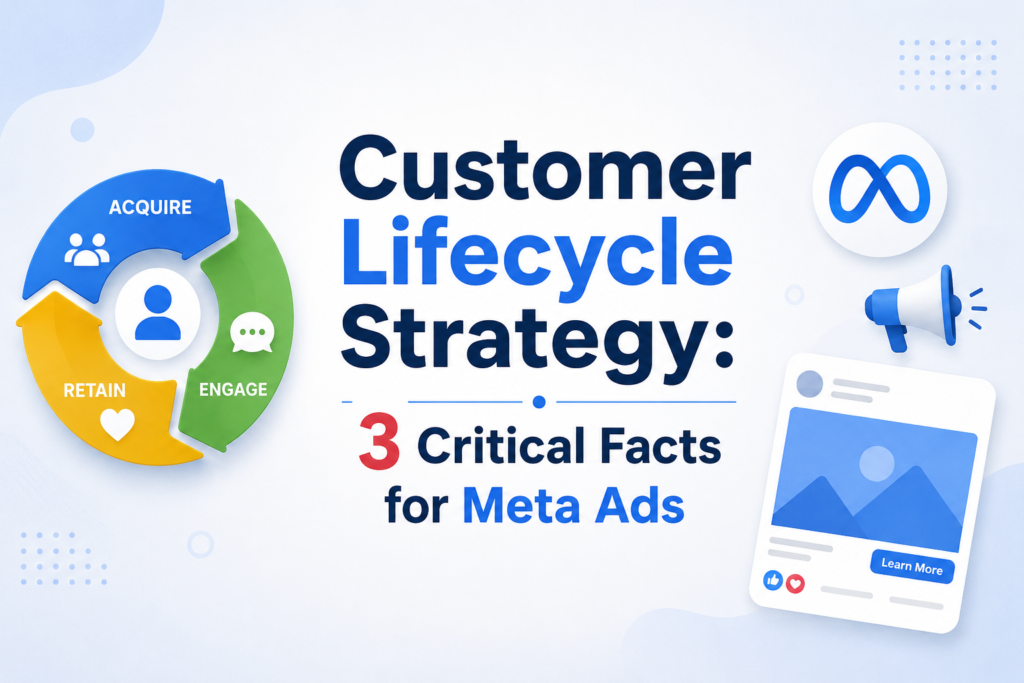
What Meta’s Customer Lifecycle Strategy Setting Actually Is
Meta rolled Customer Lifecycle Strategy out to every advertiser this month, and it showed up again as a headline item in Meta’s Advertising Week New York 2026 announcements on October 6. If you run Sales campaigns in Ads Manager, you have probably already seen this option sitting at the top of your ad set.
Customer Lifecycle Strategy lets you tell a Sales campaign which audience it should prioritize: everyone, new customers only, or people based on how they have engaged with your business before. Meta frames it as a way to keep your campaign’s recommendations and automatic changes aligned with one clear goal instead of letting the algorithm chase the cheapest conversion regardless of who it finds.
This is not a brand new concept dressed up for a conference. Meta first tested the feature back in the spring, and marketers have spent months arguing over what it really does under the hood. With general availability confirmed, it is worth a clear, honest breakdown rather than another recap of Meta’s press release.
How the Customer Lifecycle Strategy Options Work
Inside a Sales campaign, Customer Lifecycle Strategy gives you three choices at the ad set level.
Reach new and existing customers is the default. It matches how Advantage+ delivery already behaves, chasing the lowest cost per result regardless of whether someone has bought from you before. For most advertisers, this still produces the cheapest conversions overall.
Acquire new customers excludes people who have already purchased from the campaign’s reach. This usually raises your cost per result, but it can be worth it if a first-time buyer is worth more to your business long term than a repeat discount hunter.
Reach engaged or non-engaged audiences pulls from your existing audience segments. You can, for example, exclude people who have engaged with your page or ads but never converted, which lines up with what Meta calls an Engaged Audience segment.
None of these three choices are mutually exclusive with your other targeting. They sit on top of whatever audience you have already built and simply add another layer of inclusion or exclusion logic. Think of it as a filter applied before your existing audience and placement settings take over, not a replacement for them.
Setting Up Customer Lifecycle Strategy in a Sales Campaign
To find it, create a Sales campaign and open the ad set. This option appears near the top, above your standard audience controls. Choosing “Acquire new customers” prompts Meta to show you which custom audiences it plans to exclude automatically, based on how you have defined your Existing Customers segment in Events Manager or Advertising Settings.
That dependency matters more than Meta’s announcement lets on. If your Existing Customers segment is outdated, incomplete, or was never set up properly, the exclusion will be just as unreliable, because the feature does not build its own audience definitions from scratch. It uses yours, which means the groundwork happens in Events Manager, not in the ad set itself.
Before you turn it on, it is worth checking how your Existing Customers segment is defined. Is it built from purchase events in the last 180 days, a full lifetime customer list, or something older that nobody has touched in a year? That answer determines whether the exclusion will actually do what you expect.
The Honest Limitations: What Testing Actually Found
When screenshots of Customer Lifecycle Strategy first circulated online, some advertisers assumed Meta had built a smarter, AI-driven way to identify past buyers automatically, separate from anything already in the account. That claim does not hold up under testing.
Independent testing by Meta ads consultant Jon Loomer found that selecting “Acquire new customers” simply opens a second manual field for choosing custom audiences to exclude, the same custom audiences you could already select anywhere else in the ad set. It does not pull from your predefined audience segments automatically, and labeling a custom audience as a customer segment did not change its behavior in his tests.
A few other honest limitations worth knowing before you flip this setting on:
- Audiences you exclude here do not show up in the ad set’s normal Audience Controls exclusion list, which makes auditing your targeting more confusing, not less.
- There is already a separate “Legal and operational” exclusion section in the same ad set. The two sections overlap in function, and Meta has not clearly explained when you should use one over the other.
- Exclusion accuracy is only as good as your underlying audience data. Stale customer lists or poorly maintained segments will quietly undercut the whole point of the setting.
- There is no reporting breakdown that shows you how much of your budget went to new versus existing customers after the fact, so verifying it worked as intended takes extra manual digging.
None of this means Customer Lifecycle Strategy is useless. It means the current version is closer to a convenience shortcut for exclusions you could already build manually, not the dynamic, self-optimizing targeting tool that some of the early hype suggested.
Who Should Use This Meta Ads Setting
Customer Lifecycle Strategy is genuinely useful for a specific type of advertiser.
If you run a subscription business, a high-ticket product, or anything where a first-time customer is worth significantly more in lifetime value than a repeat small-basket buyer, excluding existing customers from acquisition campaigns is a sound strategy on its own merits. Having the option built into the ad set, instead of buried in a separate exclusion audience you have to remember to maintain, is a real workflow improvement.
It also helps teams that manage several campaigns with different goals at once. Labeling one Sales campaign as acquisition-focused and another as full-funnel makes the intent visible to anyone else who opens the account later, which AI agents for marketing and human account managers alike can act on more consistently than a buried custom audience exclusion ever did.
If your business already has clean, well-maintained customer segments in Events Manager, Customer Lifecycle Strategy will work close to as well as it can right now. You are simply choosing a cleaner interface for logic you were already capable of building by hand.
Who Should Skip It for Now
If your customer data in Meta is messy, outdated, or you have never set up an Existing Customers segment at all, turning this setting on will not fix that for you. You will get the illusion of smarter targeting with none of the actual benefit, and likely a higher cost per result for no real gain.
Small accounts running a single evergreen Sales campaign with no real acquisition-versus-retention split also have little to gain. If “reach new and existing customers” has been getting you profitable results, there is no urgent reason to add a new variable to test right now.
Anyone expecting this to behave like an AI-powered customer discovery tool should also pump the brakes. Based on current testing, it is closer to a relabeled manual exclusion. Treat it as a convenience feature, not a performance breakthrough, until Meta documents something more sophisticated underneath it.
Where This Fits Into Meta’s Bigger October 2026 Ad Updates
This setting was one piece of a larger set of announcements Meta made at Advertising Week New York on October 6, 2026. According to Social Media Today’s reporting on Meta’s announcement, the company also confirmed several other updates rolling out the same week.
Advantage+ creative video generation from existing static image assets is now generally available to advertisers and agencies, letting a single product photo become a short video ad without a new shoot. Ads Creative Studio, previously limited to selected partners, is expanding to more brands, with AI-assisted video concept generation and editing tools for hooks, audio, and captions.
Meta’s AI business assistant is also gaining more memory and context about past campaign performance, plus early testing of agentic actions that can adjust targeting and budgets through a conversational prompt. The Meta Ads MCP server is expanding too, letting advertisers connect third-party AI tools directly to campaign building and management.
Those are worth flagging as company claims rather than settled fact where Meta has not shared independent performance data. “Generally available” and “now live” describe access, not proof of results. Advertisers should treat early access to the AI business assistant’s agentic features the same way: useful to test in a low-risk account first, not something to hand full budget control to on day one.
For context, this is a similar pattern to how AI for Google Ads features have rolled out over the past year: broad access announced first, with real-world performance data and honest limitations surfacing only after advertisers have had months to test things themselves.
Customer Lifecycle Strategy vs. Manual Exclusions
If you already know how to build custom audience exclusions, you might wonder whether this changes anything meaningful. Here is the honest comparison.
What stays the same: You still need an accurate Existing Customers audience for the exclusion to mean anything. You still choose which custom audiences to exclude by hand. The underlying delivery logic has not changed.
What is different: The option lives at the top of the ad set instead of buried in Audience Controls, which makes campaign intent visible at a glance. It also gives the setting a consistent name your whole team can refer to, which matters more than it sounds like for agencies managing dozens of accounts at once.
What is missing: Automatic use of your predefined audience segments, a performance breakdown by new versus existing customers, and any visible AI logic beyond standard delivery optimization. If Meta adds those later, this review will need an update. As of this rollout, they are not there yet.
If you are already tracking acquisition cost separately in your analytics stack, pairing Customer Lifecycle Strategy with clean reporting in GA4 conversion tracking gives you a more reliable read on whether excluding past buyers actually improved the metric that matters to your business, rather than relying on Ads Manager’s cost-per-result number alone.
FAQ: Customer Lifecycle Strategy
Is Customer Lifecycle Strategy free to use?
Yes. It is a setting inside standard Sales campaigns in Ads Manager, not a paid add-on or a separate product tier.
Does it use AI to find new customers automatically?
Not based on current testing. It relies on the custom audiences and segments you have already defined, not a new machine learning layer that identifies buyers for you on its own.
Will excluding existing customers always lower my cost per result?
It can raise it, since you are removing some of your cheapest, most likely converters from the pool. Whether that trade-off is worth it depends on your margins and customer lifetime value, not a universal rule that applies to every account.
Can I use it alongside Advantage+ audience targeting?
Yes. It works as an additional layer on top of your existing targeting and does not require turning off Advantage+ audience expansion to function.
Does this feature work the same way for Instagram-only campaigns run through Meta?
Yes. Since Customer Lifecycle Strategy is a Sales campaign setting rather than a placement setting, it applies regardless of whether your ads run on Facebook, Instagram, or both, as long as the campaign objective is Sales.
What to Do Next
Before you turn this setting on, check one thing first: open Events Manager and confirm your Existing Customers audience segment is current and built from a real data source, such as recent purchase events or your customer list. If that segment is solid, test “Acquire new customers” on one campaign for at least two weeks and compare cost per result and customer lifetime value against your existing full-funnel campaign before rolling it out further. If your segment is not solid, fix that first. The setting cannot do more than the data behind it allows, no matter what the announcement implies.


Leave a response