

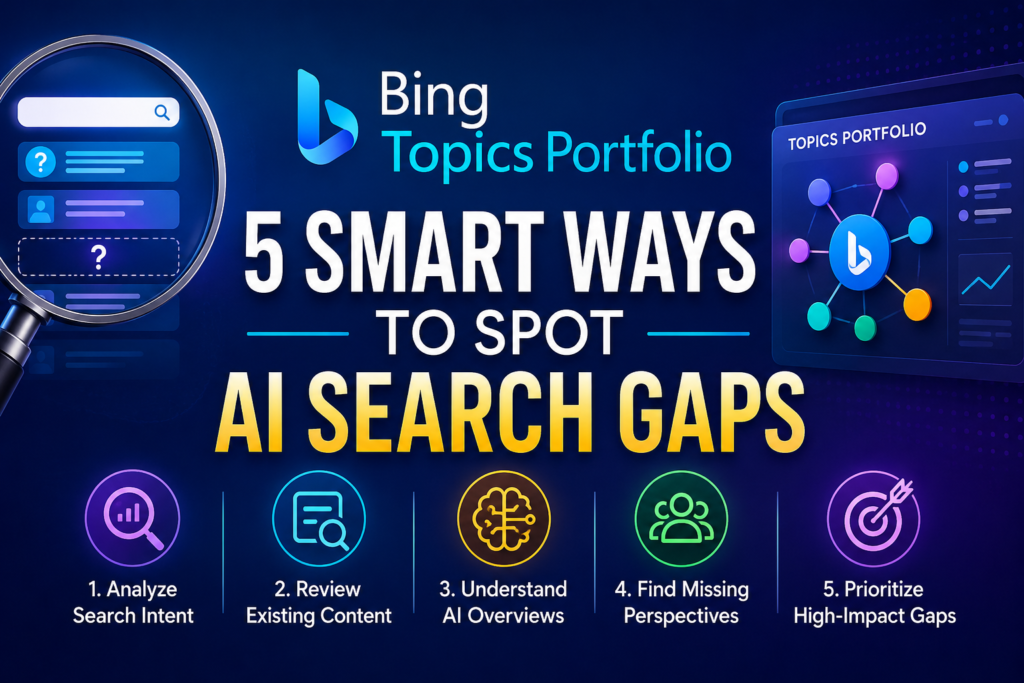
Bing just gave website owners a new way to see where their content shows up in AI-generated answers grouped by topic instead of by a single query. The Bing Topics Portfolio is a beta report inside Bing Webmaster Tools’ AI Performance section, and it’s built to answer a question most GEO (Generative Engine Optimization) tools still can’t: not just “did I get cited,” but “which whole subject areas am I winning, and which ones is someone else quietly owning instead.”
What the Bing Topics Portfolio actually is?
Microsoft announced Topics Portfolio on its official Bing Blog on October 13, 2026, as an extension of the AI Performance report it first introduced in Bing Webmaster Tools earlier this year. The AI Performance report already showed the specific “grounding queries” (the underlying questions an AI system pulls an answer from) where a site had been cited, along with the pages that earned the citation.
Topics Portfolio takes that same citation data and clusters it into broader themes. Microsoft’s own example: separate grounding queries like “solar panels” and “residential solar installation” get rolled up into a single “Solar Energy” topic. Instead of scanning a long list of individual queries, you see your site’s footprint across subject areas at a glance.
The timing is not incidental. Microsoft has been pushing Copilot deeper into Windows, Edge, and Microsoft 365 all year, and Bing’s underlying AI Search traffic — the grounding queries that feed Copilot answers — has grown alongside it. As more of that traffic becomes “dark” in the sense that it never shows up as a clickable referrer, first-party reports like this one become one of the only reliable windows a site owner has into what’s actually happening behind an AI-generated answer.
The four numbers that matter
Each topic row in the report shows four figures, according to Microsoft’s post:
- Topic. The thematic cluster name, generated automatically from related grounding queries.
- Topic Size. The approximate total citations across all sites for that topic in the period you select — Microsoft frames this as a read on overall AI Search demand for the subject.
- Sites Cited. The approximate number of distinct sites appearing for queries in that topic — a rough proxy for how crowded or competitive the space is.
- Queries. The approximate number of distinct grounding queries that make up the cluster.
Below the topic table sits a second, arguably more useful section: Top Opportunity Queries. This lists the strongest queries across your whole site where competitors are getting cited, and you aren’t — shown as citation-volume ranges rather than exact counts, since Microsoft treats these as directional signals, not hard numbers.
How to find and read the report
Getting to Topics Portfolio takes four steps, and you don’t need to request access — it’s rolling out as a beta tab inside an existing report.
- Sign in to Bing Webmaster Tools. You need a verified site already connected to your account.
- Open the AI Performance report for that site. This is the same report that shows Citations & Pages.
- Select the Topics Portfolio tab, which sits next to the existing Citations & Pages tab.
- Pick a date window — Microsoft currently supports one-, two-, or three-month ranges.
Click into any topic row, and you get a detail view: three KPI cards (Topic Size, your citations within that topic, and the query count), plus two tables: “Your Grounding Queries” (where you already show up) and “Opportunity Queries” (where you don’t, yet).
One catch before you go looking for it
Microsoft says the tab only appears “if there is sufficient data for your site.” Smaller or newer sites with limited AI citation history may see a short list of topics, or none at all. That’s a limitation of the underlying data, not a bug — the clustering model needs enough grounding-query volume to form a reliable theme.
5 practical ways to use the Bing Topics Portfolio
A new report is only worth your time if it changes what you do next. Here’s how to turn Topics Portfolio into an actual to-do list rather than a screenshot you admire once.
- Start with Topic Size, not your own citation count. A topic where you’re cited five times out of a Topic Size of 40 is a much bigger opportunity than one where you’re cited five times out of a Topic Size of six. The first tells you there’s real AI Search demand you’re only partly capturing; the second tells you the subject is already maxed out.
- Mine the Top Opportunity Queries list for your next content brief. These are, by definition, queries where AI systems are already citing someone in your space and not you. That’s a sharper prioritization signal than a generic keyword gap list, because it’s based on who’s actually winning citations right now, not just search volume.
- Use Sites Cited to gauge how winnable a topic is. A topic with a high Topic Size but a low Sites Cited count means a small number of sources dominate the AI answers — worth investigating what those pages do well before you compete there. A high Sites Cited count suggests a more fragmented, easier-to-enter space.
- Watch for branded-query noise in opportunity lists. Microsoft’s own example flags this: a competitor’s branded query (like “Air Shoes” for a shoe brand) can show up as an “opportunity” in a Running Shoes topic even though it’s not something you could or should target. Filter these out before you brief a writer.
- Re-run the report monthly and track topic movement, not just totals. Because classification is AI-generated and Microsoft says it will keep refining it, topic boundaries may shift slightly over time. Treat month-over-month changes in your citation share within a topic as the real signal, not the absolute numbers in any single snapshot.
What the Topics Portfolio can’t tell you yet
Microsoft is upfront about several limitations, and they matter for how much weight you put on this data:
- No click data. The AI Performance report — Topics Portfolio included — shows citations and impressions-style signals, not clicks or conversions. You can see you’re being cited; you can’t see if anyone acted on it.
- Imperfect, AI-generated classification. Topic labels can be broad or occasionally group queries in ways you wouldn’t. Microsoft says precision should improve as the underlying models mature, but beta means beta.
- Approximate figures throughout. Topic Size, Sites Cited, and Queries are all labeled “approximate,” and Opportunity Query volumes are deliberately shown as ranges rather than exact counts.
- Coverage gaps for smaller sites. If your site doesn’t have enough citation activity in a theme, that topic simply won’t appear — so an empty report doesn’t necessarily mean zero AI visibility, just not enough data yet to cluster it.
Microsoft’s own framing is worth repeating here: treat the numbers as “directional signals for planning,” not a precise measurement tool. That’s the right posture for any brand-new beta analytics feature, and it’s doubly true for one trying to quantify something as fluid as AI citation behavior.
How this compares to Google’s AI reporting
If you’ve already set up Google’s own AI performance reporting in Search Console, the Topics Portfolio will feel familiar in spirit but different in shape. Google’s report groups data by query and surface (AI Overviews vs. AI Mode vs. regular Search), while Bing’s new feature groups by subject-matter theme first and surfaces competitive context — Sites Cited and Topic Size — that Google’s current report doesn’t expose in the same way.
Neither tool gives you clicks for AI-generated answers, which remains the single biggest measurement gap across AI search platforms right now. If you’re tracking visibility across both ecosystems, our breakdown of AI Overviews’ external links surge and how to read Google’s own citation data in Search Console’s newer reporting filters are useful companions to this Bing feature.
It’s also worth noting that third-party tools are moving into this same space from a different angle. Rank Math’s AI Visibility feature, for instance, now tracks citations inside Gemini responses directly from your WordPress dashboard, and tools compared in our Ahrefs vs. Semrush AI visibility checker review take a platform-agnostic approach. The Bing Topics Portfolio is narrower — Bing/Copilot-only — but it comes straight from the source, with no sampling or scraping involved, which is a real advantage for data accuracy.
Who should actually use this
This report earns its place in a regular GEO workflow if you run a content-heavy site — publisher, SaaS blog, ecommerce category pages, local service business with a resource section — and you already have at least some presence in Bing/Copilot AI answers. If your site is brand new or has very little organic history, you may not see enough topics populate yet to make the report useful; check back after you’ve built up more indexed, citable content.
It’s less useful, at least for now, if your traffic and revenue are almost entirely Google-dependent and you have no plans to track Bing or Copilot separately. That’s a legitimate position for plenty of small businesses — but given that Copilot is bundled into Windows, Edge, and Microsoft 365, “almost entirely Google-dependent” is a shrinking category, not a stable one.
FAQ
Is the Bing Topics Portfolio available to everyone right now?
It’s rolling out as a beta feature inside Bing Webmaster Tools’ AI Performance report. Microsoft hasn’t published a specific country or account-tier restriction, but the tab only appears for sites with enough AI citation data to form topic clusters, so availability in practice depends on your site’s existing visibility in Bing and Copilot answers.
Does Topics Portfolio show data from ChatGPT or Google AI Overviews?
No. It’s specific to Microsoft’s own AI Search ecosystem — Bing, Copilot, and select Microsoft AI partner surfaces. For Google’s AI Overviews and AI Mode citation data, you need Search Console’s separate AI performance reporting; for ChatGPT, there’s currently no official first-party citation report at all.
What does “Topic Size” actually measure in the Topics Portfolio?
Microsoft describes it as the approximate total citations across all sites for that topic in your selected date range — essentially a proxy for how much AI Search demand exists around that subject, not how well any single site is performing within it.
Why would a branded competitor query show up as an “opportunity” for me?
Because the Opportunity Queries list is generated by topic clustering, not manual curation, it can surface queries that are really about a specific competitor’s brand (Microsoft’s own example is a shoe brand’s product name). Treat these as noise to filter out, not real content opportunities.
Should I prioritize Bing’s Topics Portfolio over Google’s AI performance report?
Not over — alongside. Google still drives the large majority of search-referred traffic for most sites, so its AI Overviews and AI Mode reporting should stay your primary focus. The Bing Topics Portfolio is a useful, free, first-party supplement for understanding your visibility in the Bing/Copilot ecosystem, which is growing but still smaller for most publishers.

Leave a response